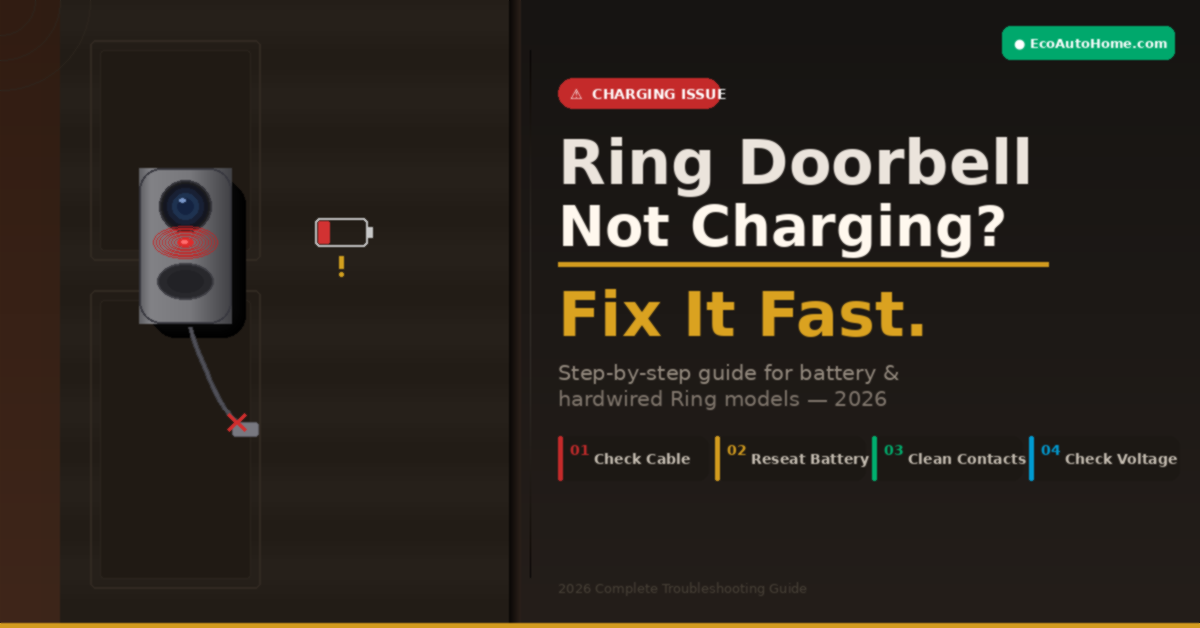
You plug in your Ring doorbell to charge, come back a few hours later — and the battery percentage has barely moved. Or maybe it’s hardwired and your Ring app is still flashing a low battery warning. Either way, something is clearly wrong, and it’s more frustrating than it should be.
Here’s the thing: a Ring doorbell that won’t charge isn’t always a broken device. In most cases, it’s a fixable problem — and usually a simple one.
I’ve personally worked through this issue across multiple Ring models, and the cause almost always comes down to one of a handful of predictable culprits. This guide covers every real reason your Ring doorbell isn’t charging — battery-powered and hardwired — and gives you clear, step-by-step fixes in order of likelihood. Work through them and you’ll have your doorbell back to full power without needing to contact Ring support.
Why Is My Ring Doorbell Not Charging? The Real Causes
Before jumping into fixes, let’s understand what’s actually happening. There are two very different charging setups for Ring doorbells, and the cause of the problem depends entirely on which type you have.
Battery-powered Ring doorbells (Ring Video Doorbell 1st Gen, 2nd Gen, 3rd Gen, 4th Gen, Ring Battery Doorbell Plus) rely on a removable or built-in rechargeable lithium-ion battery that you charge using a USB cable. These are the most common source of charging complaints.
Hardwired Ring doorbells (Ring Doorbell Pro, Pro 2, Elite, Wired Doorbell Plus) are connected directly to your home’s doorbell wiring. They don’t use a USB cable at all. When people say their “hardwired Ring isn’t charging,” they usually mean the battery percentage is dropping despite being wired — which points to a power supply issue, not a cable problem.
The most common causes across both types include:
- A faulty or incompatible charging cable
- Dirty or corroded charging contacts
- A battery that was incorrectly reseated after charging
- Cold or hot weather affecting battery chemistry
- An underpowered transformer (hardwired models)
- High motion activity draining battery faster than it charges
- A degraded battery that’s reached the end of its lifespan
Let’s fix each one.
Fix 1 — Check the Charging Cable and Power Adapter First
This catches more people than you’d expect. Ring doorbells are specific about the charging cable they use, and a generic USB cable you grabbed from a drawer often won’t deliver consistent enough power to charge the battery reliably.
According to Ring’s official support guidance, you should try a different charging cable or USB power adapter if charging isn’t working — and the original Ring cable works best. That’s not just a marketing line. The original cable is built to deliver the correct current for the battery capacity inside your Ring device.
Here’s what to check:
- Use only the orange micro-USB or USB-C cable that came in the Ring box
- Test the power outlet by plugging in a different device to confirm the outlet itself is working
- Try a different USB power adapter — aim for one rated at 5V, 1A or higher
- Inspect the charging port on the doorbell for any visible damage, lint, or debris — a can of compressed air clears this in seconds
The battery can take up to 10 hours to fully charge, so if you’re checking after 2-3 hours and seeing low percentages, give it more time before assuming something is broken.
Fix 2 — Reseat the Battery Correctly
This one trips up a surprising number of Ring users, and it’s entirely understandable. On Ring models with a removable battery pack, the battery has to click firmly into place when reinserted. If it doesn’t seat all the way, the app won’t register a new charge percentage — even if the battery is actually full.
According to Ring’s support page, if your Ring app battery percentage doesn’t change after charging, make sure you’ve placed the battery back into the device until it clicks into place. Once reinserted correctly, the updated charge percentage will appear in the Ring app under Device Health.
Pull the battery out completely, then push it back in firmly until you hear and feel that click. Open your Ring app, navigate to Device Health, and check whether the updated percentage now appears. If it does — that was your whole problem.
Fix 3 — Clean the Charging Contacts
Over time, outdoor exposure causes dust, moisture, and oxidation to build up on the charging contacts of your Ring doorbell and battery. Even a thin layer of grime can interrupt the electrical connection enough to prevent charging entirely.
This is especially common on older Ring devices that have been mounted outside for a year or more, and on Ring doorbells installed in coastal or humid climates where salt air accelerates corrosion.
Gently clean the charging contacts on both the doorbell and the charging cable using a soft cloth or cotton swab. Don’t use water. A dry cotton swab or a small amount of isopropyl alcohol works perfectly. Let everything dry completely before attempting to charge again.
While you’re at it, inspect the USB charging port on the battery itself. A bent pin inside the port — even a very slight one — can prevent proper contact with the cable. If the cable feels loose or wobbly when plugged in, a bent charging port is likely the culprit and the battery will need replacing.
Fix 4 — Check the Temperature (Cold and Heat Both Cause Charging Failures)
Here’s something most Ring troubleshooting guides don’t explain clearly enough: Ring doorbells use lithium-ion batteries, and lithium-ion chemistry is highly sensitive to temperature. The device will actually stop charging itself to prevent damage when conditions fall outside a safe range.
According to Ring’s official cold weather guidance, Ring devices perform optimally at around 75°F (25°C) and are designed to stop charging automatically when the temperature drops below freezing. This isn’t a malfunction — it’s a built-in battery protection feature.
If you live somewhere with cold winters, this explains why your Ring doorbell’s battery keeps dropping through the colder months. The battery isn’t broken — it’s just operating at the edge of its usable range and can’t accept a charge in those conditions.
Heat causes problems too. If your device gets too hot — particularly from direct summer sun — it will stop charging entirely and can shut itself down. Moving the device into shade, or bringing the battery pack indoors to cool down, resolves this quickly.
Practical fix for cold weather: Bring the battery pack inside for 30-60 minutes before charging. Allow it to return to room temperature, then charge it indoors. This single step fixes most cold-weather charging failures entirely.
Fix 5 — Fix Your Hardwired Ring That Still Shows Low Battery
This is probably the most misunderstood Ring charging issue out there. A lot of people hardwire their Ring doorbell, assume the battery will stay permanently charged, and then wonder why the percentage keeps dropping week after week.
Here’s what Ring doesn’t make obvious enough: the existing doorbell wires in your home only provide a slow trickle charge to the battery. They cannot power the doorbell on their own. If your home has high motion activity — lots of deliveries, foot traffic, or frequent live views — the battery drain can easily outpace the trickle charge coming through the wiring.
The bigger issue for most homes, though, is transformer voltage. Ring requires a transformer delivering 16 to 24 volts AC at a minimum of 30 volt-amps (VA). Older homes with mechanical chimes commonly have 10-volt transformers — and that’s simply not enough to keep the Ring battery charged. The symptom is a doorbell that appears to work fine, but whose battery slowly drains over weeks no matter how it’s wired.
How to check your transformer voltage:
- Open the Ring app → tap your doorbell → Device Health
- Look at the Power Source reading — it should say “Hardwired” with a voltage reading alongside
- If voltage shows below 16V, your transformer needs upgrading
- According to Ring’s hardwired power guide, the Ring Hardwired Transformer delivers 16 VAC at 30 VA — the correct spec for all current Ring doorbell models
- A compatible transformer costs around $20 and takes roughly 10 minutes to swap in most homes
Important safety note: Always turn off power at your circuit breaker before inspecting or replacing doorbell wiring. If you’re not comfortable with basic electrical work, have a qualified electrician handle the transformer swap.
Fix 6 — Reduce Battery Drain From Heavy Motion Activity
Sometimes your Ring doorbell is charging just fine — the problem is that it’s consuming power faster than it can store it. This is especially common with battery-powered Ring models installed at busy front doors with constant foot traffic, passing cars, or overactive motion zones.
Three settings changes that make a dramatic difference:
Adjust Motion Sensitivity: Open Ring app → your device → Motion Settings → lower sensitivity by one or two notches. This reduces false triggers from passing cars, trees, and wind-blown shadows — events that drain battery without providing any useful footage.
Change Motion Frequency: In Motion Settings, switch from Frequent to Regularly or Periodically. This tells your Ring to wait briefly between motion checks, cutting battery consumption significantly without missing genuine events at your door.
Reduce Motion Zones: Narrow your detection zone to cover just your walkway and porch area. Eliminating street and sidewalk coverage alone can triple battery life on a busy road installation.
You can also check which specific features are drawing extra power directly in the Ring app. Open the app → tap your device → Settings → look for Feature Power Usage. Any feature consuming excessive battery will be flagged there with an option to adjust it.
Fix 7 — Reset the Ring Doorbell
If none of the above has solved your charging issue, a device reset can clear firmware-level glitches that occasionally prevent the battery from communicating its charge status correctly with the Ring app.
Press and hold the reset button — usually found on the back or side of the device — for about 15 seconds until the front light flashes. This performs a full reboot and clears any software state that may be interfering with normal charging behaviour.
After the reset, give the device 5-10 minutes to fully restart, then plug in the charging cable and monitor the battery percentage in your Ring app over the next 30 minutes. A working charge should show a gradual percentage increase within that window. If it does, you’re back in business.
When It’s Time to Replace the Battery
If you’ve worked through every fix above and your Ring doorbell still won’t hold a charge, the battery has likely reached the end of its natural lifespan. Lithium-ion batteries are rated for approximately 300 to 500 full charge cycles before they begin losing the ability to hold meaningful capacity.
Ring’s own guidance acknowledges that batteries may not work as well after years of use, and recommends trying a second battery if the original isn’t responding to troubleshooting. Replacement Ring battery packs cost between $20-$30 depending on your model and take about 60 seconds to swap — a far cheaper option than replacing the entire doorbell.
If your Ring device is more than five years old and showing persistent charging problems alongside other issues — dropped connections, degraded video quality, frequent app errors — full device replacement is likely the smarter long-term investment.
For help choosing a reliable replacement without getting locked into expensive subscription plans, our guide to Best Security Cameras Without Subscriptions in 2026 covers the best front-door options available right now.
FAQ
Why is my Ring doorbell not charging when plugged in?
The most common causes are a faulty or incompatible charging cable, a dirty charging port, or a battery that wasn’t properly reseated after charging. Start by using the original Ring cable, cleaning the charging contacts with a dry cotton swab, and ensuring the battery clicks firmly into place. If the battery percentage still doesn’t update in the Ring app under Device Health after 30 minutes, try a different USB power adapter rated at 5V/1A or higher.
Why is my hardwired Ring doorbell not charging?
A hardwired Ring doorbell showing a dropping battery usually has an underpowered transformer. Ring requires 16 to 24 volts AC at a minimum of 30 volt-amps. Older homes commonly have 10-volt transformers that can’t keep pace with battery demand — especially with heavy motion activity. Check your transformer voltage via Device Health in the Ring app and upgrade to a 16V/30VA transformer if the reading falls below 16 volts.
How long does it take to fully charge a Ring doorbell battery?
A Ring doorbell battery takes up to 10 hours to charge fully from a depleted state using the original Ring cable and a standard 5V USB power adapter. Checking the percentage after 2-3 hours and seeing minimal change is completely normal — don’t assume charging has failed until you’ve completed the full cycle.
Why does my Ring doorbell battery drain so fast?
Fast battery drain is almost always caused by high motion event frequency, frequent Live Views, or a weak Wi-Fi signal forcing the device to reconnect repeatedly. Lower your motion sensitivity, narrow your motion zones, and change Motion Frequency to “Regularly” or “Periodically” in the Ring app. These three changes can extend battery life from days to weeks, even on a busy front door installation.
Can cold weather stop my Ring doorbell from charging?
Yes — and this is one of the least understood Ring issues. Ring doorbells are designed to stop charging automatically when the temperature drops below freezing (32°F / 0°C) to protect the lithium-ion battery from damage. If you live in a cold climate, bring the removable battery indoors to charge at room temperature during winter months. Normal charging behaviour resumes once temperatures rise back above freezing.
Getting Your Front Door Back Online
A Ring doorbell that won’t charge is almost never permanently broken. In the vast majority of cases, it comes down to something straightforward — a worn cable, a misaligned battery, an underpowered transformer, or the temperature pushing the battery outside its operating range.
Work through the fixes in order: check the cable → reseat the battery → clean the contacts → rule out temperature → verify transformer voltage if hardwired → adjust motion settings → reset the device. Most people solve the problem in the first three steps without ever needing to contact Ring support.
Once your doorbell is running again, it’s worth thinking about your broader home security setup. Our guide to Best Security Cameras Without Subscriptions in 2026 will show you the most reliable cameras that pair well with Ring — without locking you into costly monthly plans.
Your front door is your home’s first line of defence. Keep it powered and keep it working.