If you’ve bought a smart bulb, smart plug, or smart thermostat recently, you’ve probably seen the word “Matter” printed on the box. Maybe you’ve ignored it. Maybe you Googled it and ended up more confused than when you started.
You’re not alone. Matter is one of those tech terms the industry loves to throw around without actually explaining in plain English.
Here’s the simple version: Matter is the universal language that lets smart home devices from completely different brands talk to each other — without extra hubs, without compatibility headaches, and without being locked into one company’s ecosystem forever. I’ve been watching this standard develop since its launch, personally testing Matter-compatible devices across multiple setups, and what I can tell you is this — if you’re building or upgrading a smart home in 2026, Matter is the single most important thing to understand before spending a dollar.
What Is the Matter Smart Home Standard, Really?
Before Matter existed, smart homes were a mess. Your Philips Hue bulbs only worked properly with Philips’ own hub. Your Ring doorbell only connected cleanly to Amazon’s ecosystem. Your Nest thermostat lived happily inside Google’s world — but nowhere else. Every device spoke a different language, and making them all work together required either a computer science degree or a drawer full of extra hardware.
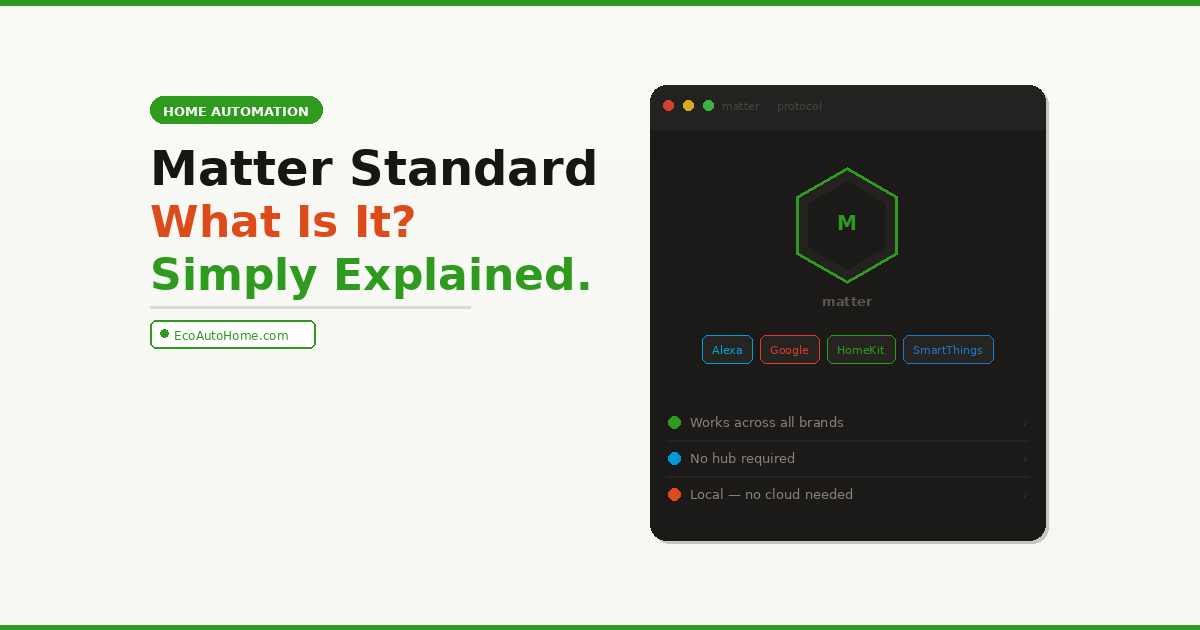
Matter is an open-source, unified connectivity standard for smart home devices. Its goal is simple yet ambitious: every smart home device carrying the Matter badge should work with any platform — Apple Home, Google Home, Amazon Alexa, or Samsung SmartThings — without needing a separate app.
Think of it like USB. Before USB became the universal standard, every device had its own connector. After USB, one port worked with everything. Matter is doing exactly the same thing for your smart home — creating one universal connection standard that every device and every platform can use.
Matter is built around a shared belief that smart home devices should be secure, reliable, and seamless to use. By building upon Internet Protocol (IP), Matter enables communication across smart home devices, mobile apps, and cloud services — and defines a specific set of networking technologies for device certification.
The standard is managed by the Connectivity Standards Alliance (CSA) — an organisation backed by over 300 member companies including Amazon, Apple, Google, Samsung, IKEA, and dozens of device manufacturers worldwide.
Where Did Matter Come From?
Understanding where Matter came from helps explain why it’s such a big deal — and why it took this long to arrive.
In 2019, an impressive consortium — Apple, Google, Amazon, Samsung, IKEA, and many others — launched Project CHIP (Connected Home over IP). The stated goal was radically simple: create a unified, open-access standard ensuring that every device, regardless of origin, can communicate with others seamlessly.
The project took three years of development before launching as “Matter” in late 2022. That’s three years of some of the biggest tech companies in the world — companies that compete fiercely with each other every single day — agreeing to cooperate on a shared open standard. That almost never happens. The fact that it did tells you everything about how badly the smart home industry needed a fix.
By 2026, Matter has matured significantly from its 2022 launch, with broad device support, improved reliability, and simplified setup processes that finally deliver on the promise of seamless interoperability.
How Does Matter Actually Work?
Here’s where most guides lose people. Let me break it down as simply as possible.
Matter doesn’t replace your Wi-Fi or your smart home app. It’s a software protocol — a set of rules that devices follow when they communicate. When a device is Matter-certified, it means it speaks a standardised language that any Matter-compatible controller can understand.
The three networks Matter runs on:
Wi-Fi — Matter works over your existing home Wi-Fi network. Smart plugs, switches, and always-powered devices typically use this. It’s the easiest to set up because you already have a Wi-Fi router.
Thread — Thread is a low-power mesh networking protocol designed specifically for battery-operated smart home devices like sensors, locks, and contact switches. Matter over Thread uses a mesh network that’s more energy-efficient and offers better range through mesh routing. Thread requires a Border Router — a device that connects your Thread network to your regular Wi-Fi. Many modern smart speakers and hubs already have a Border Router built in, including Apple HomePod mini, Apple TV 4K, Google Nest Hub (2nd gen), and Amazon Echo (4th gen).
Bluetooth Low Energy (BLE) — Used only for the initial setup process (called “commissioning”). Once a device is set up, it communicates through Wi-Fi or Thread, not Bluetooth.
The key insight most people miss: Matter works locally. If your internet goes down, your smart home keeps working. More importantly, it keeps your data private. Your habits — when you wake up, when you leave, which rooms you spend time in — aren’t being sent to the cloud unless you specifically opt in for remote access features.
This is a massive improvement over older smart home devices that required a constant cloud connection — meaning if the company’s servers went down, your devices stopped working. With Matter, your smart home runs on your home network. The cloud is optional, not mandatory.
What Devices Support Matter in 2026?
Within three years, Matter has gone from a handful of devices to a comprehensive product portfolio, with over 750 certified products available or about to launch.
Here’s a clear breakdown of what’s currently supported:
Fully supported and widely available:
- Smart bulbs and lighting (Philips Hue, IKEA, Nanoleaf, Govee)
- Smart plugs and power strips (Eve Energy, Meross, Tapo, IKEA)
- Smart switches and dimmers
- Smart thermostats (including select Ecobee and Google Nest models)
- Smart locks and door locks
- Window coverings and motorised blinds
- Motion, temperature, and humidity sensors
- Smoke and CO detectors
Coming in Matter 1.5 (mid-2026): Matter 1.5 is expected to bring security camera support — a notable gap in the current spec. This is a big one. Security cameras have been the most glaring omission from Matter’s device list since launch. Once 1.5 rolls out fully, it will bring video doorbells and indoor cameras into the unified ecosystem too.
What’s not fully supported yet:
- Advanced animated lighting effects (these still need the manufacturer’s app)
- Some robot vacuum features (basic control works, advanced room mapping may not)
- Complex multi-zone irrigation systems
Which Smart Home Platforms Support Matter?
Every major smart home platform supports Matter — but not all of them support every device type equally. This is the part that causes the most real-world confusion.
According to the Connectivity Standards Alliance, every major ecosystem now supports Matter, though with different levels of device type coverage. Apple Home supports lighting, climate control, locks, plugs, thermostats, blinds, and sensors. Google Home supports lighting, plugs, locks, blinds, fans, thermostats, and sensors. Amazon Alexa supports lighting, plugs, locks, blinds, fans, sensors, robot vacuums, and smoke detectors. Samsung SmartThings leads the pack by supporting all current device types through Matter 1.3.
Here’s the honest reality of 2026: the way these platforms implement the specifications sometimes contradicts Matter’s product promise because their approach is neither consistent nor transparent. Some platforms are stuck on version 1.2 or 1.3, while others have moved to 1.4.
What does this mean practically? If you buy a Matter-certified device and it says it works with your platform, the basic functions — on/off, dimming, temperature control — will work universally. But advanced features that go beyond the standard may still require the manufacturer’s original app. Always check the specific feature support for your platform before buying.
Matter vs Zigbee vs Z-Wave — Which Should You Choose?
This is the question I get asked most often. Here’s the straight answer.
Zigbee and Z-Wave are older smart home protocols that are incredibly stable and reliable — but they require dedicated hubs, have limited cross-brand compatibility, and are finicky to set up correctly. They’re excellent if you’re deep into a specific ecosystem like Philips Hue (which uses Zigbee internally) or SmartThings, but they’re not beginner-friendly.
Matter is newer, easier to set up, and built for cross-brand compatibility from day one. For most people, Matter is the better choice in 2026. While Zigbee and Z-Wave are incredibly stable, they require specific hubs and can be finicky to configure. Matter offers a more plug-and-play experience while maintaining the reliability of those older protocols.
The practical advice: if you’re starting from scratch or buying new devices in 2026, always look for the Matter logo first. If you have existing Zigbee or Z-Wave devices you love and don’t want to replace, many manufacturers now offer Matter bridges — devices that bring your older non-Matter hardware into a Matter ecosystem without requiring you to replace everything.
Do Your Existing Smart Home Devices Support Matter?
This is one of the most common questions — and the answer is better than most people expect.
Many existing devices can gain Matter support through firmware updates or manufacturer bridges. Older devices using completely proprietary protocols may require replacement for full Matter compatibility, but that’s the exception rather than the rule.
Here’s how to check:
- Check the manufacturer’s app — Most major brands (Philips Hue, IKEA, Nanoleaf, Eve, Aqara) have already pushed Matter support to existing devices via software updates. Open your app and look for a Matter setup option.
- Look for the Matter logo — Any newly purchased device with the Matter logo on the box is certified and ready to go.
- Use a Matter bridge — If you have older Zigbee or proprietary devices, a Matter bridge (often built into a manufacturer’s hub) can bring those devices into any Matter-compatible platform without replacement.
One important note worth understanding: Matter ensures that today’s devices will benefit from tomorrow’s improvements without requiring new hardware. Manufacturers provide OTA (Over-The-Air) updates that enrich the capabilities of existing devices. When a new Matter version adds features, your device benefits immediately through a software update — no mandatory purchase required.
This matters enormously for long-term value. When you invest in Matter-certified devices today, you’re not buying into a dead-end ecosystem that will be abandoned in three years.
The Honest Limitations of Matter in 2026
I won’t sugarcoat this — Matter is excellent, but it’s not perfect yet. Most guides written by technology enthusiasts gloss over the rough edges. Here are the real limitations worth knowing before you commit.
Commissioning failures during setup: One common issue is commissioning failures during the initial device setup. This usually happens when your phone is on a different Wi-Fi frequency (5GHz) than the device you’re trying to set up (which may prefer 2.4GHz). Most modern routers handle this automatically, but if you run into trouble, try moving closer to your Border Router during setup.
Feature parity gaps: While Matter ensures basic functions like on/off and dimming work everywhere, some brand-specific features may still require the manufacturer’s original app. A fancy multi-coloured light strip might have 100 custom animations in its own app, but Matter might only show you a colour wheel and 10 presets. Always check whether the specific features you rely on are included in the Matter spec for your platform.
Inconsistent platform implementation: The lack of clear information will likely remain a stumbling block for Matter in 2026. Hardly any vendors and only a few platforms communicate publicly about exactly how far they are with implementation. References to Matter are frequently hidden in technical specifications rather than prominently displayed on product pages.
The bottom line: Matter gets the fundamentals right — setup, basic control, cross-platform compatibility — and it does it reliably. Where it still falls short is in advanced features and the inconsistency between how different platforms implement the standard. That gap is closing fast with each new version.
How to Start Using Matter in Your Smart Home
You don’t need to overhaul your entire setup to start benefiting from Matter today. Here’s the practical starting point.
Step 1 — Check whether you already have a Matter controller You probably do. If you have an Amazon Echo (4th gen or newer), Apple HomePod mini, Apple TV 4K (3rd gen), or Google Nest Hub (2nd gen), you already have a Matter-compatible controller — and in the case of Echo and HomePod mini, a Thread Border Router too.
Step 2 — Buy Matter-certified devices going forward When replacing or adding smart home devices, always look for the Matter logo on the box. You don’t need to replace working devices immediately — just make Matter your default standard for everything new.
Step 3 — Add your Matter devices through your preferred app Matter devices can be added to any compatible ecosystem through that ecosystem’s standard app. The same physical device can be linked to multiple ecosystems simultaneously — Amazon Alexa and Apple HomeKit at the same time, for example. This is called Multi-Admin and it’s one of Matter’s most underappreciated features.
Step 4 — Bridge your existing devices if needed If you have older Zigbee or proprietary smart devices you want to keep, check whether the manufacturer offers a Matter bridge. IKEA’s Dirigera hub, Philips Hue Bridge, and Aqara’s M2 hub all act as Matter bridges for their existing device ecosystems.
For a complete guide on building out your setup device by device without overspending, our Ultimate Smart Home Setup Guide on a Budget walks through exactly which devices deliver the best real-world value in a Matter-compatible home.
If you’re specifically looking at thermostats — one of the most impactful Matter-compatible upgrades you can make — our comparison of Ecobee vs Nest: Which Smart Thermostat Is Best in 2026? covers exactly how both models handle Matter integration in practice.
FAQ
What is the Matter smart home standard in simple terms?
Matter is a universal compatibility standard that lets smart home devices from different brands work together without compatibility issues. Think of it as a shared language — any device that carries the Matter logo can communicate with any Matter-compatible platform, whether that’s Amazon Alexa, Google Home, Apple HomeKit, or Samsung SmartThings. It eliminates the need for multiple hubs and removes the frustration of buying a device that doesn’t work with your existing setup.
Do I need special hardware to use Matter?
You need a Matter controller — but you probably already have one. Amazon Echo (4th gen+), Apple HomePod mini, Apple TV 4K (3rd gen+), and Google Nest Hub (2nd gen) all work as Matter controllers. For Thread-based devices, you also need a Thread Border Router, which is built into most of those same devices. If you have any of them already, you’re ready to use Matter today.
Will my existing smart home devices work with Matter?
Many existing devices already support Matter through firmware updates. Major brands including Philips Hue, IKEA, Nanoleaf, Eve, and Aqara have already pushed Matter compatibility to existing hardware via software updates — check your manufacturer’s app for a Matter setup option. Older devices using completely proprietary protocols may need to be bridged through a compatible hub rather than updated directly.
What is the difference between Matter over Wi-Fi and Matter over Thread?
Matter over Wi-Fi uses your existing home network and works well for always-powered devices like smart plugs and switches. Matter over Thread uses a separate low-power mesh network that’s significantly more energy-efficient — ideal for battery-operated devices like sensors and locks. Thread devices need a Border Router to connect to the rest of your network, but that’s built into many modern smart home hubs and speakers already.
Is Matter better than Zigbee?
For most homeowners starting fresh in 2026, yes. Matter is easier to set up, works across all major platforms without a dedicated hub, and offers better long-term compatibility as more devices adopt the standard. Zigbee is more mature and still excellent within specific ecosystems, but it requires additional hardware and lacks the cross-brand flexibility Matter provides. If you already have a working Zigbee setup, there’s no urgent need to replace it — just use a Matter bridge to bring those devices into a unified ecosystem.
Why Matter Changes Everything for Your Smart Home
Matter is not just another tech buzzword. It genuinely solves the single biggest problem that has frustrated smart home users for a decade — the fragmentation that forced you to choose one ecosystem and stay loyal to it forever or face a mess of incompatible devices.
The standard isn’t perfect yet. Platform implementation is inconsistent, some advanced features still need manufacturer apps, and setup can occasionally trip over Wi-Fi band issues. But the direction is unmistakable and the progress since 2022 has been remarkable. With over 300 member companies, certified products in millions of homes, and continuous improvements, Matter is no longer an experiment. It’s the new reality of the smart home.
If you’re buying smart home devices in 2026, make the Matter logo your first filter. Every device you choose today with Matter support is a device that will still be compatible with whatever platform or ecosystem you prefer five years from now — and that kind of future-proofing is worth more than any individual feature.
Build smart. Build open. Build with Matter.

