You bought a security camera. Set it up. Pointed it at your driveway. And then your internet went down — and so did your camera.
That’s the dirty secret nobody talks about when selling you a smart camera. Most of them aren’t actually securing anything without a live Wi-Fi connection. The moment your router blinks offline, you’re blind. And if you’re trying to monitor a rural property, a barn, a cabin, or a remote plot of land where broadband simply doesn’t reach — Wi-Fi cameras are useless from day one.
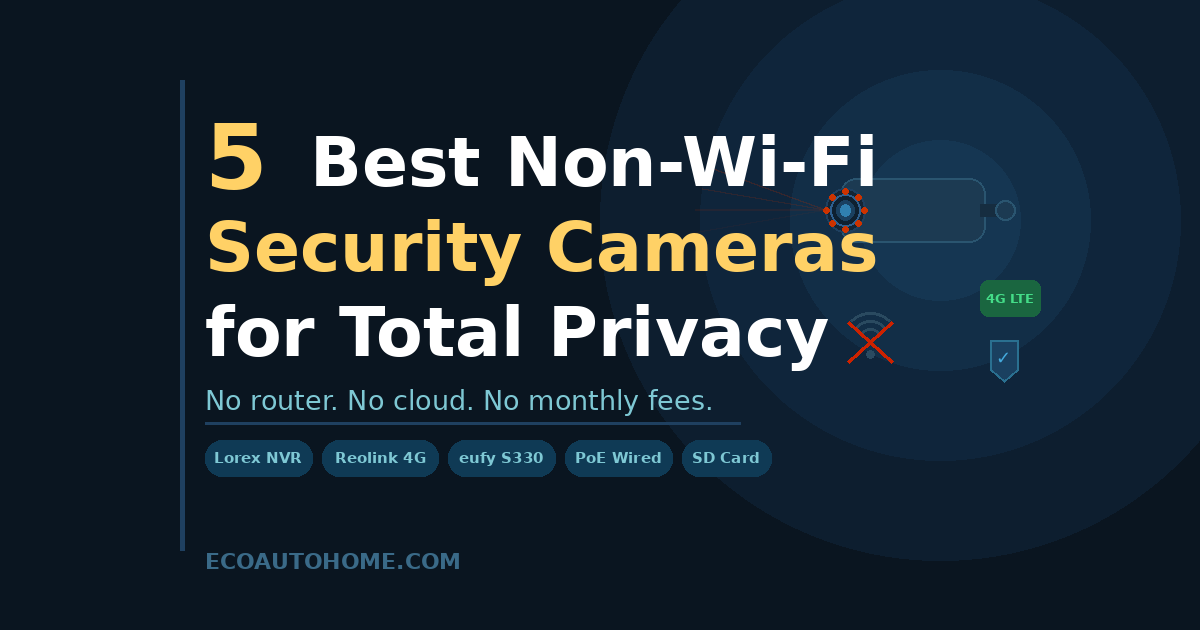
Non-Wi-Fi security cameras solve this completely. They record locally to a hard drive or SD card, stream live over 4G cellular, or send footage over a wired Ethernet cable — none of which requires a router, a cloud subscription, or a stable internet connection. In 2026, the options are genuinely excellent. This guide covers the five best, explains exactly how each type works, and helps you pick the right one for your situation.
Why People Are Ditching Wi-Fi Cameras in 2026
The shift away from Wi-Fi cameras isn’t just about rural properties or internet dead zones. Privacy advocates and security-conscious homeowners have a very different reason — and it’s one that’s driving serious search volume in 2026.
Wi-Fi cameras send your footage to someone else’s server. Ring sends it to Amazon. Nest sends it to Google. Arlo stores it in their cloud. Every one of those setups means your footage is sitting on a third-party server, accessible to the company, potentially accessible to hackers, and in some cases, shared with law enforcement on request without your knowledge.
There’s also the jammer problem. Tech-savvy burglars have started using portable Wi-Fi jammers — inexpensive devices that flood the 2.4GHz and 5GHz bands with interference, knocking Wi-Fi cameras offline in seconds. A wired NVR system or a 4G cellular camera operates on completely different frequencies. You can’t jam a Cat5e cable. You can’t jam a cellular signal with a $30 Wi-Fi blocker.
Non-Wi-Fi cameras keep your footage on your hardware, under your control, immune to Wi-Fi jamming, and operational during power or internet outages. For the right person, that combination is worth every penny.
The Three Types of Non-Wi-Fi Security Cameras
Before jumping into the picks, it’s worth understanding what you’re actually choosing between — because the three main types solve very different problems.
Wired PoE + NVR systems connect cameras to a Network Video Recorder via Ethernet cable. Each cable carries both power and video signal — no Wi-Fi, no batteries, no wireless interference. Footage records continuously to a local hard drive. These are the most reliable option available and the right choice for permanent installations on homes, farms, and businesses.
4G LTE cellular cameras use a SIM card and cellular data instead of Wi-Fi. They install anywhere — fence posts, barn walls, the middle of a field — and send live footage and motion alerts straight to your phone over the mobile network. The catch is ongoing data costs and dependence on cell coverage.
SD card local storage cameras record directly to a microSD card with no connectivity at all. No Wi-Fi, no cellular, no cloud. Footage stays on the card until you physically retrieve it. These are the simplest, cheapest, and most private option — but you won’t get real-time alerts or live viewing.
Keep that framework in mind as you go through the picks. Each camera on this list fits one of these three categories, and the best choice depends entirely on what you actually need.
The 5 Best Non-Wi-Fi Security Cameras in 2026
1. Lorex 4K Wired NVR System — Best Overall for Permanent Installations
If you want the most reliable, most private, most hack-resistant security camera setup available to a homeowner in 2026, this is it.
Lorex’s 4K PoE NVR system uses wired IP cameras connected via Cat5e Ethernet cable to a local Network Video Recorder. Each single cable handles both power delivery and video transmission — no Wi-Fi, no batteries, no wireless signal to jam. Cameras record continuously, 24 hours a day, directly to a 2TB hard drive that ships preinstalled in the NVR. Nobody else touches that footage.
The video quality is exceptional — true 4K resolution with Color Night Vision that delivers full-colour footage in low light conditions using ambient lighting, and crisp infrared black-and-white in total darkness with a stated range up to 150 feet. Smart Motion Detection uses onboard AI to distinguish people and vehicles from animals and blowing branches — you only get alerts for things that actually matter.
Standalone 4K cameras from Lorex start at around $150, with complete multi-camera systems ranging from roughly $400 up to $1,000 or more depending on camera count and storage specs. There are no required monthly fees — you pay once and own the system outright.
The honest downside: installation requires running Ethernet cable through walls and ceilings, which is a real commitment. Professional installation typically runs $300–500 for a four-camera system. DIY is very doable with basic handyman skills, but expect to spend a full day doing it properly. This isn’t a plug-in-and-forget camera — it’s a permanent security infrastructure.
Best for: Homes, farms, and businesses wanting permanent, unhackable, 24/7 local surveillance with no ongoing costs.
Requires: Cat5e cabling to each camera location. NVR connects to router for optional remote viewing — local recording works entirely without internet.
2. Reolink Go PT Ultra — Best 4G Cellular Camera for Remote Locations
This is the camera I’d recommend without hesitation to anyone monitoring a barn, a remote cabin, a hunting property, or any location where running cable is impossible and Wi-Fi doesn’t reach.
The Reolink Go PT Ultra combines 4G LTE cellular connectivity with solar power and 4K pan-tilt capability in a single package. It installs on a fence post, a barn wall, or a tree mount in under 20 minutes — no power outlet, no cable run, no Wi-Fi router anywhere in the picture. The included 6W solar panel keeps the battery continuously topped up, delivering positive energy balance even during short winter days. A 90-day real-world winter test in Northern Michigan — including sub-zero temperatures, heavy snow, and minimal sunlight — found the camera maintained 99.1% uptime on 2–3 bars of LTE signal.
The camera pans 355° and tilts 140°, giving near-complete coverage of any outdoor area from a single mount point. AI detection identifies people, vehicles, and animals separately — so you get an alert when a person walks up your driveway, not every time a deer passes through. The updated 2026 version adds auto-tracking, up to 512GB of local microSD storage, and animal detection.
Data costs are modest — a 90-day test averaged around 30MB per day, making a 1GB monthly plan comfortable headroom at $6.99/month via the Reolink app. A SIM card is included in the box. You can use Reolink’s own plan or insert a nano SIM from AT&T or T-Mobile.
The one hard limitation: you need cellular coverage at the installation location. Check AT&T, T-Mobile, and Verizon coverage maps for your specific address before buying. In genuine dead zones, this camera simply won’t connect.
Best for: Rural properties, barns, hunting land, cabins, construction sites — anywhere with cell coverage but no Wi-Fi or power.
Requires: Nano SIM card and a cellular data plan. Reolink SIM included. Solar panel included.
3. eufy 4G LTE Cam S330 — Best Cellular Camera With No Subscription
Eufy has built a strong reputation for genuinely subscription-free security cameras, and the 4G LTE Cam S330 is their best non-Wi-Fi offering in 2026.
Like the Reolink Go PT Ultra, it uses 4G cellular data instead of Wi-Fi and includes a built-in solar panel for continuous power. The S330 delivers 4K resolution with 360° pan and tilt functionality, and just two hours of sunlight can power it for an entire day. It stores footage locally on a microSD card with no cloud subscription required — eufy’s pitch of keeping your footage genuinely in your hands holds up here.
Where the eufy S330 differentiates itself is build quality and AI detection maturity. Person, vehicle, and pet detection work reliably across a wide range of lighting conditions, and the two-way audio is notably clearer than most competitors at this price point.
The S330 does require you to supply your own SIM card and data plan — unlike the Reolink Go PT Ultra, no SIM is included in the box. Factor in the cost of a prepaid data plan from AT&T or T-Mobile before comparing total prices.
Best for: Privacy-focused users who want 4G cellular surveillance with zero cloud dependency and no monthly fees beyond cellular data.
Requires: Own nano SIM card and data plan. Solar charging included.
4. Reolink RLC-810A PoE Camera — Best Budget Wired Option
Not everyone needs a full eight-camera NVR system. If you want to add one or two wired non-Wi-Fi cameras to an existing NVR — or you’re building a smaller setup from scratch — the Reolink RLC-810A is the most capable budget PoE camera in its class.
It delivers 4K resolution, person and vehicle AI detection, colour night vision, and IP67 weatherproofing at a price point significantly below Lorex’s system cameras. It runs over a single Cat5e cable just like any other PoE camera, connects to any standard NVR, and records continuously to local storage with no subscription required.
The RLC-810A is the camera I’d recommend to someone who already has a NVR and wants to expand their coverage, or someone building a small two-camera setup for a garage, driveway, or outbuilding. Pair it with a basic four-channel NVR and a 1TB hard drive, and you’ve got a complete wired non-Wi-Fi system for well under $300.
Best for: Budget-conscious buyers, NVR expansion, small wired setups for garages and outbuildings.
Requires: Cat5e cable run to camera location, compatible NVR.
5. Reolink Argus 3 Ultra — Best SD-Only Camera for Total Offline Privacy
Sometimes the right answer is the simplest one. If you don’t need real-time alerts or live viewing — if you just need footage recorded and stored somewhere that nobody can ever remotely access — an SD-only camera with no connectivity at all is the most private security camera you can buy.
The Reolink Argus 3 Ultra records in 4K, runs on a rechargeable battery with solar panel compatibility, supports up to 128GB microSD storage, and has absolutely no cloud dependency. It records motion-triggered clips directly to the card — you pull the card, plug it into a computer, and review footage.
This is the camera for a barn interior, a storage unit access point, or any location where the goal is silent, private, offline evidence collection. No connectivity means no hacking surface, no data breach risk, and no outage vulnerability. The trade-off is equally clear: you won’t know anything happened until you physically check the card.
Best for: Maximum privacy, offline evidence collection, locations with no cell coverage and no Wi-Fi.
Requires: MicroSD card (up to 128GB). Optional solar panel for continuous power.
How to Choose the Right Non-Wi-Fi Camera for Your Situation
Here’s the honest quick-pick guide — no fluff:
- Permanent home, farm, or business with power and cable access? → Lorex 4K NVR system. The most reliable setup available. No ongoing costs after purchase.
- Remote property with cell coverage but no power or Wi-Fi? → Reolink Go PT Ultra with solar. Set it, forget it, and get alerts on your phone from anywhere.
- Want cellular coverage but no cloud subscription at all? → eufy 4G LTE Cam S330. Bring your own SIM, keep your footage local.
- Expanding an existing NVR system on a budget? → Reolink RLC-810A PoE. Best value per dollar for wired expansion.
- Want maximum privacy with zero connectivity? → Reolink Argus 3 Ultra on SD card. Nothing in, nothing out — just local recordings on your terms.
One thing worth knowing regardless of which type you choose: if you’re using a wired NVR system and want optional remote viewing when you do have internet, you’ll connect the NVR to your router via Ethernet. Local recording runs entirely without internet — the router connection is only needed for app access when you’re away from home. For a deeper look at building a complete smart security setup that balances privacy with connectivity, our guide on Best Security Cameras Without Subscriptions covers exactly how to do that without locking yourself into monthly fees.
FAQ
Do non-Wi-Fi security cameras work during a power outage?
It depends on the type. Wired NVR systems require power at both the NVR and the cameras — a power outage will take them offline unless you have a UPS (uninterruptible power supply) backing the system. Battery-powered and solar-powered cellular cameras like the Reolink Go PT Ultra are completely unaffected by home power outages since they run on their own battery. SD-only cameras on battery or solar power are similarly immune. If outage resilience matters to your situation, a cellular or battery-powered camera is the better choice.
Can Wi-Fi jammers defeat non-Wi-Fi security cameras?
Wired PoE cameras and 4G cellular cameras are immune to standard Wi-Fi jammers. A Wi-Fi jammer floods the 2.4GHz and 5GHz radio bands — it has no effect on a Cat5e cable or a 4G LTE cellular signal operating on licensed spectrum. SD-only cameras with no wireless connectivity are equally unjammable. This is one of the most compelling reasons security-conscious homeowners are switching away from Wi-Fi cameras in 2026.
Do 4G security cameras need a monthly data plan?
Yes — 4G LTE cameras require a SIM card and an active cellular data plan to transmit footage and send alerts. The Reolink Go PT Ultra includes a SIM card in the box with an initial data allowance, and monthly plans start around $6.99 for 1GB through the Reolink app. Real-world usage typically runs 20–30MB per day with standard motion-triggered recording settings — 1GB per month is usually sufficient for most residential use cases.
Can I view non-Wi-Fi cameras remotely?
It depends on the type. Wired NVR systems can offer remote viewing when the NVR is connected to a router via Ethernet — local recording works without internet, but app access requires it. 4G cellular cameras stream live to your phone directly over the cellular network with no router required — remote viewing works from anywhere with cell coverage. SD-only cameras with no connectivity cannot be viewed remotely at all — footage is accessible only by physically retrieving the SD card.
Are wired security cameras better than wireless?
For reliability and privacy, yes — wired PoE cameras connected to a local NVR deliver continuous 24/7 recording with no wireless interference, no Wi-Fi dependency, and no cloud exposure. The trade-off is permanent installation and cable runs. Wireless cellular cameras win on flexibility and remote deployment. The right answer depends entirely on whether your installation location has power and cable access — if it does, go wired. If it doesn’t, go cellular.
The Bottom Line
Wi-Fi cameras made security cameras convenient. Non-Wi-Fi cameras make them actually secure.
Whether you’re protecting a rural barn with no broadband in sight, building a privacy-first home system that stores footage only on your hardware, or simply want cameras that keep working when your router doesn’t — there’s a non-Wi-Fi option that fits your setup in 2026. The Lorex NVR system is the gold standard for permanent wired installations. The Reolink Go PT Ultra is the best solution for remote properties with cellular coverage. And the Reolink Argus 3 Ultra covers anyone who wants total offline privacy without any connectivity at all.
Pick the type that matches your location and your priorities. Install it once. And own your footage completely — no cloud, no subscription, no third party in the middle.
For more practical smart home and security guides built around real-world testing, explore EcoAutoHome — honest advice for building a smarter, safer home.