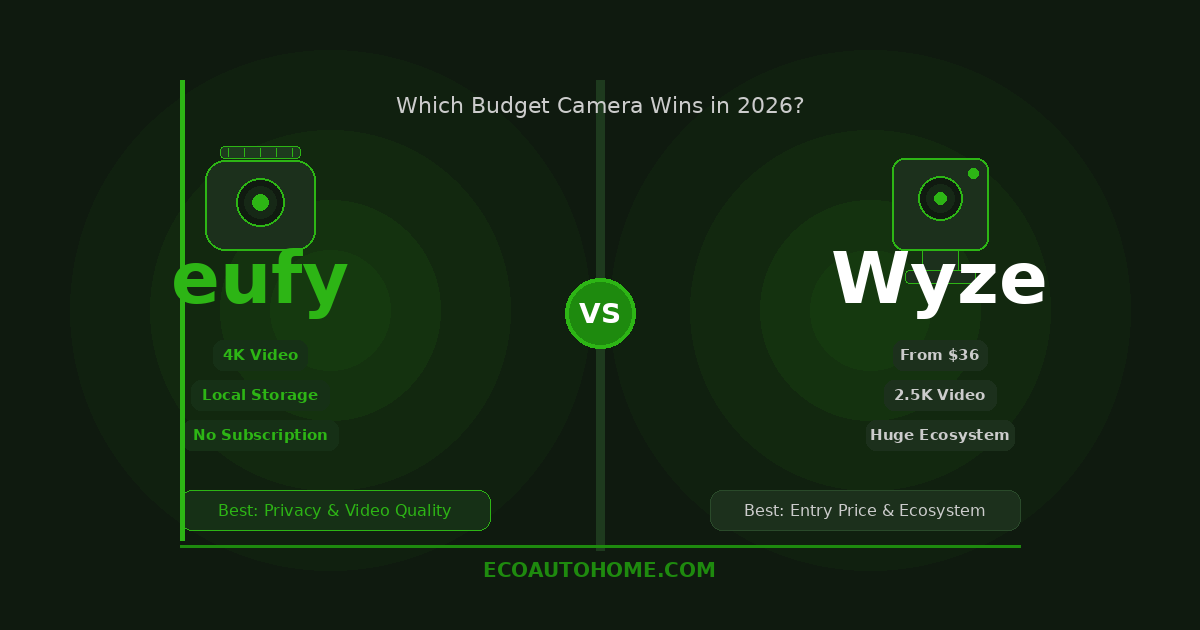
Two brands. Both budget-friendly. Both massively popular. And yet choosing between eufy and Wyze in 2026 is more confusing than it should be — because they’re not actually competing on the same thing.
Wyze built its reputation on one idea: what’s the cheapest a good security camera can possibly get? In 2026, that answer is around $36 for the Wyze Cam v4 — a 2.5K camera with color night vision, AI detection, and local storage. That’s genuinely hard to beat on price alone.
Eufy took a different road. Their cameras cost more upfront, but they store footage locally with no mandatory cloud subscription, use stronger AI out of the box for free, and give you higher resolution on comparable models. The trade-off is a higher entry price and — in some setups — a required HomeBase hub.
So which one is actually right for your home? That depends entirely on what you prioritise. This guide breaks both brands down category by category so you can make a clear decision without wading through 30 product pages.
Price: Wyze Wins, But the Gap Closes With Subscriptions
On raw hardware price, Wyze wins by a clear margin. The Wyze Cam v4 sits at around $36. The Wyze Cam OG starts even lower. For someone building a multi-camera setup on a tight budget, that price point is hard to argue with.
Eufy cameras start higher — typically $50 to $80 for entry-level indoor and outdoor models, rising to $150 and beyond for their solar-powered eufyCam S330 kit. A eufy HomeBase 3, which you need for expanded local storage and advanced AI features, adds another $150 on top of that.
Here’s where the comparison gets more interesting. Wyze locks several important features behind its Cam Plus subscription — AI person, vehicle, and pet detection, plus unlimited video clip length. Without Cam Plus, motion events record only 12-second clips with a five-minute cooldown between recordings. That limitation makes subscription-free Wyze cameras significantly less useful for actual security monitoring.
Cam Plus costs around $3 per month per camera, or around $10 per month for unlimited cameras across your account. Add that to your hardware cost over two years and the price gap between Wyze and eufy narrows considerably.
Eufy’s AI person and vehicle detection is included at no extra charge on most models. There’s no mandatory subscription for the core features that make a camera worth owning. That changes the real-world cost comparison significantly — especially once you’re running three or more cameras.
Winner: Wyze on hardware price. Eufy on total cost of ownership over time.
Video Quality: Eufy Pulls Ahead at Higher Resolutions
Both brands have improved their resolution offerings in 2026, but they don’t quite occupy the same tier.
The flagship Wyze Cam v4 records at 2.5K QHD resolution — a meaningful step up from 1080p. Color night vision is genuinely good, producing usable color footage in low-light conditions rather than grainy infrared black-and-white. During daytime testing, details like faces and licence plates are readable at around 30 feet. Further than that and the image starts to lose fine detail.
Eufy’s mid-range and premium cameras record at 2K and 4K respectively. The eufyCam S330 shoots in full 4K with a Starlight photosensitive sensor that delivers colour-accurate footage in very low ambient light — performance that clearly outclasses Wyze at the same viewing distance. The SoloCam S340 pairs a 3K wide-angle lens with a 2K telephoto lens for up to 8x hybrid zoom, giving you the ability to see genuine detail at distance that Wyze’s single-lens cameras simply can’t match.
For indoor monitoring, pet cameras, or basic porch coverage, the Wyze Cam v4’s 2.5K resolution is more than adequate. For outdoor perimeter monitoring where you need to identify faces, read licence plates at distance, or cover a large property, eufy’s higher-resolution options deliver noticeably better results.
Winner: Eufy for outdoor and perimeter monitoring. Wyze is sufficient for indoor and close-range use.
Local Storage and Privacy: Eufy Is the Stronger Choice
This is where the two brands diverge most clearly — and where your decision might come down to a single question: how much do you care about where your footage goes?
Wyze cameras are cloud-dependent by design. Motion clips go to Wyze’s servers by default. Local microSD storage is available on most models and works without a subscription, but the 12-second clip limit and five-minute cooldown without Cam Plus makes cloud storage the functional choice for most users. Wyze had a documented data breach in 2022 that exposed the data of around 2.4 million customers, and a separate 2024 incident where users briefly saw other users’ camera feeds due to a caching error. Wyze has addressed both incidents, but the trust impact remains relevant in 2026 for privacy-conscious buyers.
Eufy’s approach is local-first by design. Footage is stored on the camera’s built-in storage or on the HomeBase, encrypted locally, and stays on your hardware unless you actively choose cloud backup. There’s no mandatory cloud upload for standard operation. Eufy also had a significant controversy in 2022 — they were found to be uploading camera thumbnail images to cloud servers despite marketing their system as fully local. They’ve since updated their practices and improved transparency, but it’s worth knowing that history exists.
Neither brand has a spotless privacy record. However, eufy’s architecture — local storage, encrypted footage, no mandatory cloud — is structurally more private than Wyze’s cloud-first design. For buyers who want their footage to stay on their own hardware without needing to think about it, eufy is the better default choice.
For expandable local storage, the eufy HomeBase 3 supports hard drive upgrades up to 16TB. Wyze cameras accept microSD cards up to 512GB. Both approaches work — Wyze’s is cheaper and simpler, eufy’s scales further.
Winner: Eufy for local storage and privacy architecture.
AI Detection: Eufy’s Is Free, Wyze’s Costs Extra
Both brands offer AI detection that distinguishes people, vehicles, and animals from general motion. The practical difference is the cost model.
Eufy includes person and vehicle detection on most cameras at no charge. The eufyCam S330’s BionicMind AI goes further — it offers face recognition for free, learning to distinguish familiar faces from strangers over time. That’s a feature that costs extra on every competing platform including Wyze, Nest, and Arlo.
Wyze’s AI detection — person, pet, vehicle, and package recognition — requires a Cam Plus subscription at around $3 per month per camera. Without it, the camera detects motion generally but won’t tell you whether it’s a person or a bush moving in the wind. For anyone running multiple Wyze cameras, the subscription adds up quickly.
Both brands’ AI detection performs well in good lighting. In challenging conditions — dark backgrounds, partial obstructions, or fast-moving subjects — neither is as accurate as premium brands like Arlo or Google Nest. But eufy’s accuracy combined with zero extra cost makes it the more practical choice for most buyers.
Winner: Eufy — same quality AI detection, included for free.
Smart Home Integration: Wyze Is Broader, Eufy Has HomeKit on Select Models
Both brands work with Alexa and Google Home for voice control and live view on smart displays. That covers the majority of smart home setups without any issue.
Where they differ is Apple HomeKit. Wyze has no HomeKit support at all in 2026. If your home runs on Apple Home and you want cameras that integrate natively, Wyze is simply not compatible — and there’s no official workaround without installing third-party bridge software like HomeBridge.
Eufy supports Apple HomeKit Secure Video on select models, which stores footage encrypted in iCloud and integrates fully with the Apple Home app. It doesn’t extend to eufy’s full camera range — compatibility varies by model — but for Apple household users it’s a meaningful advantage over Wyze.
Wyze does have broader integration through IFTTT, Home Assistant via third-party firmware, and a wider range of connected smart home products within its own ecosystem — bulbs, plugs, sensors, and doorbells that all talk to each other through the Wyze app. For a fully Wyze-centric smart home, that ecosystem depth is genuinely useful.
Winner: Eufy for Apple HomeKit users. Wyze for broader ecosystem and non-Apple smart home setups.
Which One Should You Buy?
Here’s the honest summary.
Choose Wyze if: You want the lowest possible hardware price, you’re building a basic monitoring setup and don’t mind a subscription for full AI features, or you’re already in the Wyze ecosystem with bulbs, plugs, or sensors. The Wyze Cam v4 at around $36 is the best value camera in its class and a perfectly capable choice for indoor monitoring, pet cameras, and basic front porch coverage.
Choose Eufy if: You want local-first storage without a mandatory subscription, you need higher resolution for outdoor perimeter monitoring, or you’re an Apple HomeKit household. Eufy’s cameras cost more upfront, but the free AI detection and no-subscription model means you get more for your money over time.
For a home with three or more cameras, eufy almost always wins the total cost comparison once Wyze subscription fees are factored in over 12 to 24 months.
If you want to pair either camera system with a genuinely subscription-free setup, our guide on Best Security Cameras Without Subscriptions covers how to build a complete home security setup without monthly fees — including which eufy and Wyze models work best without a plan.
Eufy vs Wyze: Side-by-Side Comparison
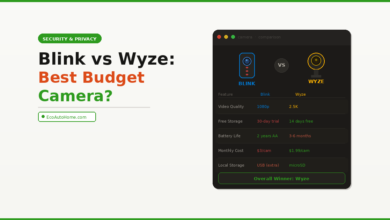
| Feature | Eufy | Wyze |
|---|---|---|
| Entry-level camera price | ~$50–$80 | ~$36 |
| Top resolution | 4K | 2.5K |
| Local storage | Yes — HomeBase or built-in | Yes — microSD |
| Cloud subscription required | No | Yes for full AI features |
| AI person detection cost | Free | ~$3/month per camera |
| Face recognition | Free on select models | Paid subscription |
| Apple HomeKit | Select models | Not supported |
| Alexa / Google Home | Yes | Yes |
| Privacy architecture | Local-first | Cloud-first |
FAQ
Is eufy better than Wyze for privacy?
Eufy’s local-first storage architecture keeps footage on your hardware by default. Wyze relies on cloud storage for most of its useful features. Both brands have had documented privacy incidents in the past — eufy with cloud thumbnail uploads in 2022, Wyze with a data breach in 2022 and a feed exposure incident in 2024. In terms of structural design, eufy’s local approach is more private. However, neither brand has a perfect track record.
Does Wyze work without a subscription in 2026?
Yes, with limitations. Without Cam Plus, Wyze cameras record 12-second clips with a five-minute cooldown between events, and AI smart detection is unavailable. Local microSD recording works without a subscription, which makes subscription-free Wyze more viable than many people realise — but the clip length restriction is a real limitation for genuine security use. Cam Plus at around $3 per month per camera unlocks full functionality.
Do eufy cameras require a HomeBase?
Not all of them. Eufy’s SoloCam range — including the SoloCam S340 and SoloCam E30 — operates completely standalone without a HomeBase. However, HomeBase unlocks advanced AI features like face recognition, expandable storage up to 16TB, and centralised management across multiple cameras. For a single-camera setup, standalone eufy cameras work fine. For a multi-camera home security system, the HomeBase 3 is worth the investment.
Which brand has better night vision — eufy or Wyze?
Both brands offer colour night vision using spotlight-assisted recording. Eufy’s higher-resolution cameras — particularly the 4K eufyCam S330 with its Starlight sensor — produce noticeably better low-light colour footage than Wyze’s 2.5K cameras. For close-range indoor monitoring and basic porch coverage, Wyze is adequate. For outdoor perimeter monitoring where you need clear detail in darkness at 20 to 30 feet, eufy’s colour night vision is meaningfully better.
Can I use eufy or Wyze cameras with Apple HomeKit?
Wyze has no Apple HomeKit support in 2026. Eufy supports HomeKit Secure Video on select models — check the specific camera’s compatibility before buying, as not all eufy cameras are HomeKit compatible. For Apple Home users, eufy is the only viable choice between the two brands.
The Bottom Line
Wyze wins on price. Eufy wins on almost everything else.
That said, Wyze is genuinely excellent if your budget is tight and you’re willing to add a Cam Plus subscription for the features you actually need. At $36 for a 2.5K camera, the Wyze Cam v4 is hard to fault for what it costs.
But if you’re building a multi-camera setup, care about your footage staying on your own hardware, or you’re an Apple household — eufy is the smarter long-term investment. Higher resolution, free AI detection, local-first storage, and no mandatory monthly fee add up to better value over time even at a higher upfront cost.
The clearest way to think about it: Wyze is the right choice for your first camera. Eufy is the right choice for your whole home.
For more honest comparisons and practical smart home guides, explore EcoAutoHome — real advice for building a smarter, more secure home without wasting money.