You noticed a security camera — at work, in a rental property, at a relative’s house, or maybe one you installed yourself. Now you’re wondering: is it picking up sound too?
It’s a fair question. Video surveillance is one thing. Audio recording is a different matter entirely — legally, practically, and ethically. And the answer isn’t always obvious from looking at the camera.
This guide gives you six reliable ways to tell whether a security camera is recording audio, explains exactly what to look for on different camera types, and covers the legal landscape around audio recording so you understand your rights — whether you’re the person operating the camera or the person potentially being recorded.
Why Audio Recording Is a Separate and More Serious Issue
Most people understand that security cameras record video. Fewer people realise that audio recording triggers a completely different set of legal rules — and that in several US states, recording audio without the consent of everyone involved is a criminal offence, not just a civil matter.
Video surveillance on private property is broadly legal in all 50 US states, within certain placement limits. Audio recording is governed by federal wiretapping law under 18 U.S.C. § 2511 — the Federal Wiretap Act — and by individual state laws that vary significantly from one another.
Under federal law, at least one party to a conversation must consent before audio can be legally recorded. Most US states follow this one-party consent standard. However, a group of states — including California, Florida, Illinois, Maryland, Massachusetts, Michigan, Pennsylvania, Washington, and several others — require all-party consent. That means every person whose voice is captured must have agreed to the recording. In Pennsylvania specifically, recording audio without all-party consent through a security camera is classified as a third-degree felony, punishable by up to seven years in prison and a $15,000 fine.
This is not a technicality. It is the law. And because audio capability is increasingly standard on modern smart cameras — Ring, Nest, eufy, Wyze, and most IP cameras all ship with microphones — the question of whether a camera is recording audio has become a genuinely important one.
Note: This article provides general information about audio surveillance, not legal advice. If you have specific concerns about your legal situation, consult a qualified attorney in your state.
6 Ways to Tell if a Security Camera Is Recording Audio
1. Look for a Small Pinhole or Microphone Port Near the Lens
The most reliable physical indicator is a tiny hole — typically one to three millimetres in diameter — positioned somewhere on the camera body, usually near the lens or on the front face. This pinhole is the microphone inlet.
It is easy to confuse a microphone hole with a reset button pinhole, which many cameras also have. The reset pinhole is usually labelled — either with the word “reset” or a small reset symbol. An unlabelled pinhole near the lens, or a small grille-shaped cluster of holes on the underside or rear of the device, almost always indicates a built-in microphone.
Some cameras also have a visible speaker — typically a rectangular or circular grid of small holes on the back or underside of the device. A speaker indicates two-way audio capability, which means the camera both listens and transmits. Its presence is a strong indicator that audio is being recorded.
Older traditional CCTV cameras — the kind you see in car parks and large retail stores — typically do not have built-in microphones. They are video-only systems unless an external microphone has been physically wired in alongside them. Modern IP cameras and smart home cameras, by contrast, almost universally include a microphone.
2. Check the Camera’s Product Specifications
Every camera manufacturer publishes a full specification sheet for each model. The spec sheet will explicitly state whether the camera includes a microphone, supports audio recording, or offers two-way talk functionality.
If the camera is accessible to you, find the model number — usually printed on a label on the underside or rear of the device. Search that model number online and look for the manufacturer’s product page or the spec sheet. The audio section will tell you definitively whether the hardware supports sound recording.
Phrases to look for include: microphone, built-in mic, audio recording, one-way audio, two-way audio, two-way talk, or speaker. If none of these terms appear anywhere in the specifications, the camera almost certainly has no audio capability.
If you cannot read the model number on the camera, look for the serial number instead — it will lead you to the same product information through the manufacturer’s website.
3. Open the Camera’s App or Software Interface
If you have access to the camera’s app — either because it’s your own camera or you’re a shared user — open it and look at the live view screen or the settings menu. Several indicators appear here that don’t exist anywhere else.
In the live view, look for a microphone icon, a speaker icon, or a two-way talk button. If any of these are visible — even if they’re greyed out or toggled off — the camera has audio hardware. Whether audio is currently being recorded depends on the settings.
In the settings menu, navigate to audio or microphone settings. Most cameras with audio capability have a toggle for enabling or disabling the microphone. If such a toggle exists, the microphone exists. If it’s turned on, audio is being recorded.
On recorded footage, look for an audio waveform indicator alongside the video timeline — it looks like a small horizontal sound wave graphic. Its presence confirms that audio was captured during that recording. You can also simply play back a recent clip and listen — if you hear ambient sound, voices, or environmental noise, the microphone was active when that clip was captured.
4. Look for an Audio Indicator Light
Many security cameras use LED indicator lights to communicate their operating status. The meaning of these lights varies significantly by brand and model, which is why checking your specific device manual matters — but there are common patterns worth knowing.
A blinking red or amber light on some camera models indicates active audio recording. A solid green or blue light typically signals that the camera is powered on and recording video. Some cameras, particularly Ring and Blink models, use a blue light specifically to indicate that the live feed is being accessed or that two-way talk is in progress.
The limitation of this method is important to understand. Many modern professional cameras — and some consumer cameras — allow indicator lights to be disabled entirely through the settings menu. A camera with its indicator light turned off can still be fully operational and recording both audio and video. The absence of a visible light does not mean the camera is inactive.
Use indicator lights as a supporting signal, not as your primary confirmation method.
5. Check for an Audio Icon on the Camera Body Itself
Some camera manufacturers print a small microphone icon directly onto the camera housing — either near the microphone hole itself or on a label on the device body. This is particularly common on IP cameras and newer smart home cameras designed to comply with disclosure norms.
Similarly, in locations where audio recording is in use — retail stores, offices, apartment building common areas — there may be posted signage nearby stating that audio and video recording is in progress. In several US states and jurisdictions, this type of signage is either legally required or strongly recommended when audio recording is taking place. Its presence is a clear signal that audio is being captured.
In some jurisdictions, posted signs indicating audio recording are considered sufficient to constitute implied consent from people entering the monitored space. In all-party consent states, however, posted signage alone may not satisfy the legal consent requirement — consult a local attorney if you’re operating cameras in those states.
6. Test It Directly Using Recorded Footage
The most definitive method — if you have access to the camera’s recordings — is simply to play back a recent clip and listen. Make a noise near the camera, wait a few minutes for a motion-triggered recording to capture it, then review the footage through the app.
If you hear sound in the playback — ambient noise, your voice, background audio — the microphone is active and audio is being recorded. If the playback is completely silent despite normal environmental noise being present near the camera, either the microphone is disabled or the camera has no audio capability.
For cameras connected to an NVR or DVR system, look for an audio channel indicator in the recording interface. Active audio channels are typically shown alongside their corresponding video channels. If the audio channel shows signal activity or a waveform, the camera is recording sound.
Cameras That Almost Always Record Audio
Knowing the camera type gives you a strong baseline before you even look at the hardware.
Modern smart home cameras — Ring Video Doorbell, Google Nest Cam, eufy cameras, Wyze cameras, Arlo cameras — all include built-in microphones and record audio by default. Two-way audio is a core feature of this entire product category. If you see one of these installed anywhere, assume audio capability is present unless the app settings confirm the microphone has been manually disabled.
IP cameras from brands like Reolink, Hikvision, and Dahua typically include microphones on most models, though audio can be disabled through the camera’s web interface or NVR settings.
Traditional CCTV cameras — the kind using coaxial cable connected to a DVR — do not natively record audio in most configurations. Capturing audio on a CCTV system requires adding an external microphone and hybrid coaxial cabling capable of carrying an audio signal. This is possible but uncommon in standard residential or small business CCTV installations.
Battery-powered and solar-powered wireless cameras almost universally include microphones, as audio is a key feature in the market segment these cameras target.
What to Do if You Believe Audio Is Being Recorded Illegally
If you believe a camera is recording audio in a location where it is illegal — such as a rental property where you have a reasonable expectation of privacy — there are clear steps to take.
First, do not tamper with, cover, or destroy the camera. Doing so could expose you to separate legal liability regardless of whether the camera itself is being used illegally.
Document everything. Photograph the camera, its location, and any visible indicators. Note the date and time. If you can identify the camera’s model or brand, record that information.
Contact the relevant authority for your situation. In a rental property, this may be your local housing authority or tenant rights organisation. In a workplace, this may be your HR department, a labour board, or an employment attorney. In any situation where you believe criminal wiretapping has occurred, this may be local law enforcement or your state attorney general’s office.
In all-party consent states, operating audio recording without everyone’s knowledge and agreement is a criminal offence — not just a civil dispute. Report it as such.
If you’re a camera owner trying to ensure your own system is legally compliant, the safest course of action in any all-party consent state is to disable audio recording entirely on outdoor cameras, or to post clear and visible signage at all points of entry to a monitored space stating that audio recording is in progress. When in doubt, consult a local attorney before enabling audio on any camera that may capture third-party conversations.
For a broader look at how to build a home security camera system that’s legally compliant and genuinely private — including which cameras store footage locally without cloud exposure — our guide on Best Security Cameras Without Subscriptions is worth reading alongside this one.
FAQ
Can a security camera record audio without you knowing?
Yes — and this happens more often than most people realise. Modern IP cameras and smart home cameras include microphones that are enabled by default. Unless someone has specifically disabled the audio setting in the camera’s app or web interface, the microphone is active whenever the camera is recording. The only reliable ways to confirm whether audio is being captured are to check the physical hardware for a microphone, review the camera’s app settings, or play back recorded footage and listen.
Is it legal for my employer to record audio at work?
It depends on your state. In one-party consent states, employers can generally record audio in common work areas as long as one party consents — which typically means the employer or a representative. In all-party consent states such as California, Illinois, Florida, Maryland, Massachusetts, Pennsylvania, and Washington, all employees whose conversations may be recorded must consent. Many employers in these states disable audio recording entirely on workplace cameras to avoid legal exposure. If you have specific concerns about workplace audio surveillance, consult an employment attorney in your state.
Can a landlord legally record audio inside a rental property?
In virtually all US states, landlords cannot install recording devices — audio or video — inside a tenant’s private living space under any circumstances. Tenants have a fundamental expectation of privacy in their homes. Cameras in common areas of a building, such as lobbies, hallways, and parking areas, may be legal depending on state law. Audio recording in these common areas carries additional legal requirements in many states. Hidden cameras of any kind in a rental unit are illegal everywhere in the US.
How far can a security camera microphone pick up audio?
Most built-in microphones in consumer security cameras capture usable audio within approximately six metres of the device. Clear speech is typically intelligible within one to two metres. Beyond that range, background noise, wind, traffic, and distance all degrade audio quality significantly. Outdoor cameras in windy environments often pick up wind noise that makes voice capture unreliable at any range. Some cameras include noise filtering specifically to reduce environmental interference and improve voice clarity.
Does a security camera with audio recording need to be labelled?
Requirements vary by state and location. In some all-party consent states and certain jurisdictions, visible signage indicating audio recording is either legally required or strongly recommended. In others, no signage requirement exists in law. As a practical matter, security professionals consistently recommend posting clear signage whenever audio recording is in use — it reduces legal risk, satisfies disclosure requirements across most jurisdictions, and ensures that anyone entering the space has been informed.
The Bottom Line
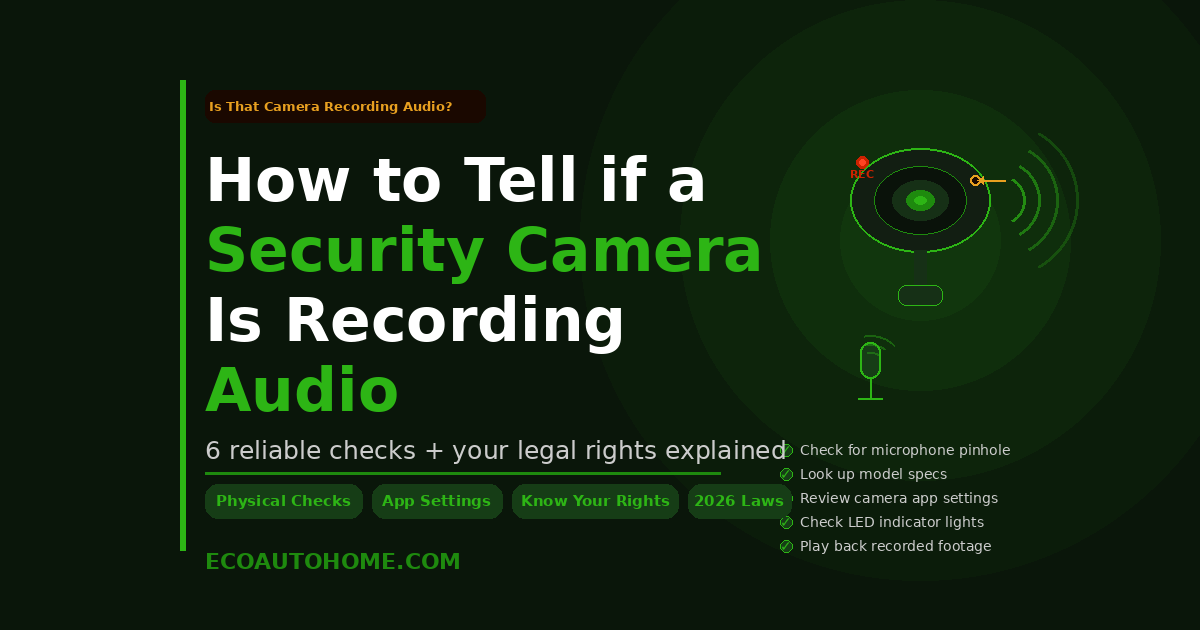
Telling whether a security camera is recording audio comes down to six reliable checks: look for a microphone pinhole on the camera body, find the model number and check the spec sheet, open the camera’s app and look for audio settings or icons, watch for indicator lights associated with audio activity, look for posted signage or audio symbols near the device, and play back recorded footage to listen for captured sound.
The stakes matter here. Audio recording carries legal obligations that video recording does not — and in a significant number of US states, capturing conversations without everyone’s consent is a criminal offence, not just a privacy violation. If you’re operating cameras yourself, know your state’s rules before enabling audio. If you believe you’re being recorded without your knowledge or consent, document it and seek appropriate legal guidance.
Understanding what’s capturing your voice — and what isn’t — is a reasonable thing to want to know.
For more honest, practical smart home and privacy guides, explore EcoAutoHome — real information for building a safer, smarter home.