Walk into any smart home conversation and smart plugs come up almost immediately. They’re the cheapest entry point into home automation — $7 to $15 per plug, no hub required, set up in under five minutes. But then comes the natural follow-up question: does buying one actually show up on your electricity bill? Or are they just a convenient gadget with a savings story attached?
The honest answer is that smart plugs genuinely do save money — but only under specific conditions, with specific devices, used in specific ways. Buying a smart plug and plugging in your phone charger will save you pennies. Buying a smart plug and putting your entertainment centre on an overnight schedule will save you real money, consistently, every month.
The difference is understanding what smart plugs actually do — and what they don’t.
What a Smart Plug Actually Does to Your Electricity
A smart plug sits between your wall outlet and whatever device you plug into it. When you turn the smart plug off — through the app, a schedule, a voice command, or geofencing — it physically cuts the flow of electricity to the connected device. Completely. No standby draw. No phantom load. Nothing.
This is different from turning a device off with a remote or pressing the power button. Most modern electronics never fully shut down when you press their power button. They enter standby mode — maintaining a connection, staying ready to receive a remote signal, keeping a clock running. That standby mode draws power continuously, 24 hours a day, whether you’re home or not.
A smart plug eliminates that standby draw by cutting power at the outlet level. The connected device receives no electricity at all when the plug is off — exactly as if you’d physically unplugged it, just without having to actually do it.
That’s the mechanism. The financial question is how much standby power costs across different devices — because not all devices are equal, and that gap is where the smart plug ROI story lives or dies.
The Real Numbers: What Different Devices Cost on Standby
This is the section most smart plug articles skip, and it’s the most important one. The savings from a smart plug depend entirely on what you put behind it.
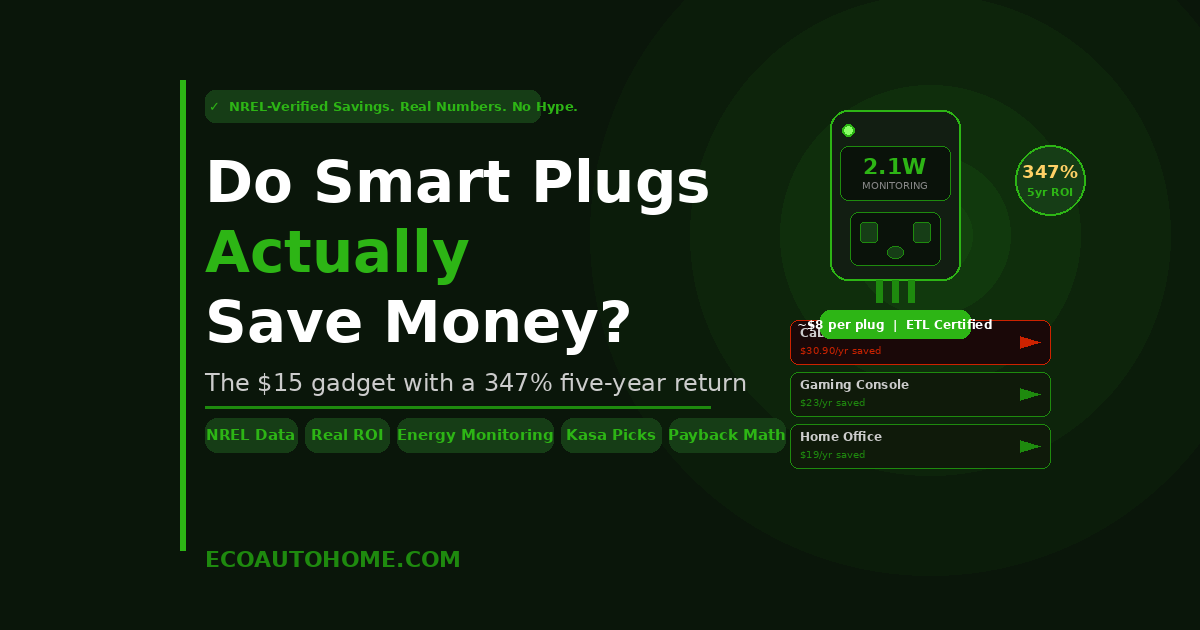
Cable or satellite box: 15 to 30 watts continuously. Running 24 hours a day at the 2026 US average electricity rate of 17.65 cents per kWh, a cable box drawing 20 watts costs approximately $30.90 per year in standby — every year, with or without anyone watching it.
Gaming console in rest mode: 10 to 15 watts. A PlayStation or Xbox in rest mode costs approximately $15 to $23 per year while doing nothing but waiting to be turned on.
Desktop computer in sleep mode: 2 to 10 watts depending on the system. At the higher end, around $15 per year from a computer that looks like it’s off.
Entertainment centre combined (TV, cable box, soundbar, streaming stick, console): 40 to 80 watts in combined standby. A household with all of these running overnight every night is spending $60 to $124 per year on electricity while everyone is asleep.
Home office setup (monitor, printer, speakers, desktop): 20 to 50 watts combined standby. Around $30 to $77 per year of electricity flowing into equipment that isn’t doing anything useful.
Phone charger — empty, no device attached: 0.1 to 0.3 watts. Around $0.15 to $0.46 per year per charger. Negligible.
Now apply a smart plug to each scenario. Set the entertainment centre to power off at midnight and restore at 6am — eliminating six hours of standby draw every night. Set the home office to power off when your phone’s geofencing detects you’ve left the house. Schedule the gaming console to cut power completely rather than sitting in rest mode.
The entertainment centre scheduling alone could save $20 to $40 per year from a single smart plug. The home office setup, another $15 to $30. A cable box eliminated overnight, another $10 to $15.
The NREL Data: Government-Verified Savings Numbers
Here’s where the savings case moves from estimated to verified.
The National Renewable Energy Laboratory — a US Department of Energy national laboratory — independently tested and published savings estimates for advanced power strips and smart power control used on household entertainment and home office setups. Their findings, corroborated by the Northeast Energy Efficiency Partnerships, documented savings of approximately 106.1 kilowatt-hours per year for a typical household using smart power control on one entertainment centre and one home office setup.
At the 2026 US average rate of 17.65 cents per kWh, 106.1 kilowatt-hours translates to roughly $18.73 per year in verified savings from just two strategic placements.
That’s the conservative government-verified number — not a manufacturer’s claim, not a marketing estimate. A real-world measurement from a Department of Energy national laboratory, 75.1 kWh from entertainment control and 31 kWh from home office control, annually.
Put another way: a four-pack of Kasa smart plugs at around $28 to $30 pays itself back — at the NREL’s conservative verified savings rate alone — within about 18 months. That’s before accounting for any additional scheduling on other high-draw devices in the home.
The Honest Limitation: Smart Plugs Don’t Do the Work for You
This is the part the buying guides consistently omit — and it genuinely matters for setting accurate expectations.
A smart plug sitting in your outlet does not save electricity on its own. It has no intelligence about the device plugged into it. It draws roughly 1 to 2 watts continuously just to maintain its own Wi-Fi connection and stay ready to receive commands — adding approximately $1.50 to $3 per year per plug to your bill simply by being installed.
If you plug in a smart plug and never configure a schedule, never set up geofencing, and never use the energy monitoring data to change your behaviour — the plug saves you nothing and costs you a small amount. That’s why many people buy smart plugs, don’t set them up properly, and conclude they don’t work.
The savings are real, but they’re not automatic. They require three things.
First — put the plug on the right device. A smart plug on a phone charger saves cents. A smart plug on a cable box, gaming console, or entertainment centre saves dollars. The device behind the plug determines everything.
Second — set up an automation. A manual smart plug you control from your phone is convenient but inconsistent. An automated schedule or geofencing trigger that runs every single day without you thinking about it is what generates consistent, compounding savings. Set it once, and it works every night, every morning, every time you leave the house, for years.
Third — use the energy monitoring data if the plug has it. Energy monitoring smart plugs — like the Kasa KP125M or KP115, the Tapo P115, or the Emporia Smart Plug — show you the actual wattage and cumulative kilowatt-hours your connected device consumes. This data changes behaviour in ways that compound the savings beyond what scheduling alone delivers. Seeing that your old desktop computer draws 8 watts in sleep mode around the clock — costing $12 per year from a machine you use two hours a day — makes the decision to cut its power on a schedule obvious and immediate.
The ROI Calculation: What a $15 Smart Plug Actually Returns
Let’s run real numbers on a concrete example — the entertainment centre scenario, since it’s the single highest-impact placement for most households.
The setup: TV (3W standby), cable box (20W standby), soundbar (2W standby), streaming stick (1W standby). Combined standby: 26 watts.
Current annual cost: 26W × 8,760 hours per year ÷ 1,000 = 227.8 kWh per year. At 17.65 cents per kWh: $40.21 per year.
With a smart plug on a midnight-to-6am off schedule: Eight hours of eliminated standby per night. 26W × 8 hours × 365 days ÷ 1,000 = 75.9 kWh saved per year. At 17.65 cents: $13.40 saved per year from just the overnight schedule. Add geofencing that cuts power when everyone leaves during the day and the savings increase further.
Plug cost: $8 to $15 for a single quality certified plug from Kasa or Wyze.
Payback period: 7 to 14 months. After payback, every dollar saved is pure return for the remaining lifespan of the plug — typically five or more years.
Five-year return on a $15 plug: $13.40 per year × 5 years = $67 gross savings minus the $15 plug cost = $52 net return from one plug placed on one entertainment centre. That’s a 347% return on a $15 investment over five years.
Now multiply that across a home office setup, a gaming console, and any other high-standby device in the house. The compound effect of strategic smart plug placement across a home is meaningful — not life-changing, but genuinely real and consistently positive.
The Energy Monitoring Bonus: Savings You Didn’t Know to Look For
This is the smart plug use case that gets the least attention but may generate the most value for individual households.
Energy monitoring smart plugs — typically $15 to $25 each — measure the actual wattage and cumulative kilowatt-hours flowing through them to the connected device. They make invisible electricity consumption visible, specific, and actionable.
What people discover when they first install an energy monitoring plug tends to be surprising. The old refrigerator in the garage that nobody thinks about is running a defrost cycle that draws 400 watts several times a day. The gaming console left in rest mode is pulling 12 watts around the clock. The desktop computer that “goes to sleep” is drawing 7 watts continuously because the sleep settings were misconfigured. The aquarium heater runs 24 hours a day and nobody had any idea what it cost.
None of those discoveries happen without measurement. And none of the resulting savings — which can be substantial — materialise without first making the problem visible.
A smart plug that costs $20 and reveals that one device is wasting $40 per year has paid back its cost twice over before you’ve done anything other than check the app. The action — scheduling the plug to cut power during off hours — takes three minutes.
Where Smart Plugs Deliver Real Money — And Where They Don’t
Highest impact uses — genuine financial return: Entertainment centres with cable boxes and gaming consoles. Home office setups with desktop computers, monitors, and printers. Space heaters that run longer than they need to. Dehumidifiers and fans that could run on schedules instead of continuously. Any device drawing 10 watts or more in standby or idle mode.
Moderate impact — worth doing, realistic savings: Lamps and floor lights put on schedules to eliminate forgotten overnight use. Small kitchen appliances like coffee makers and toasters on a morning schedule. Window AC units scheduled to stop running when rooms are unoccupied.
Low impact — don’t expect to see it on your bill: Phone chargers. Small USB devices. Already energy-efficient LED lighting. Devices with internal switching that draw less than 1 watt on standby.
Wrong use entirely — costs more than it saves: Refrigerators and freezers — they need continuous power to maintain safe food temperatures. Medical equipment — never put on a smart plug. Network routers and hubs — cutting their power interrupts connectivity for every device in your home.
The principle is consistent across all of these: the financial case for a smart plug is proportional to the standby draw of the device behind it. High standby draw means high savings potential. Low standby draw means limited financial return, no matter how good the plug is.
Our full guide on Can Someone Hack My Ring Camera touches on a related angle worth knowing — smart plugs on cameras and connected home devices introduce a power-cutting consideration for security setups specifically, where scheduled power cuts need to account for recording continuity.
Which Smart Plugs Are Actually Worth Buying
The financial case for smart plugs depends on the plug working reliably. A smart plug that loses its Wi-Fi connection, fails to execute its schedule, or burns out within a year delivers none of the compounding returns the ROI calculation assumes.
The Kasa KP125M and KP115 from TP-Link are the most consistently recommended plugs across independent testing in 2026 — ETL certified, energy monitoring included, reliable automation, strong app, Matter compatible on the KP125M. The four-pack brings the per-plug cost to around $7 to $8, which accelerates payback to under a year on entertainment centre placement.
The Wyze Smart Plug is a legitimate budget alternative at around $7 per plug in the four-pack, Energy Star certified, with energy monitoring and Alexa and Google Home compatibility. Reliability is solid for straightforward schedule-based automation.
The Tapo P115 from TP-Link is the best cost-per-plug option specifically for energy monitoring — mini form factor, real-time wattage, kWh tracking, bill estimation, ETL certified.
One principle applies across all of them: only buy plugs with genuine UL or ETL certification. Uncertified smart plugs from unknown brands sold on Amazon have documented fire risks from internal design flaws. For a full breakdown of which cheap smart plugs are dangerous and which certifications actually mean something, our guide on Are Cheap Amazon Smart Plugs a Fire Risk covers exactly what to look for before buying.
FAQ
How much money can a smart plug actually save per year?
It depends entirely on what you plug into it. The National Renewable Energy Laboratory documented savings of approximately 106.1 kilowatt-hours per year for a typical household using smart power control on entertainment and home office setups — worth around $18 to $19 per year at 2026 US average electricity rates. Individual high-standby devices — cable boxes at 20 watts, gaming consoles at 10 to 15 watts in rest mode — can generate $15 to $30 in annual savings per device from scheduling alone. Budget $8 to $15 per plug and expect payback within 6 to 18 months on high-standby placements.
Do smart plugs use electricity themselves?
Yes — typically 1 to 2 watts continuously to maintain their Wi-Fi connection and stay ready for commands. That self-consumption costs approximately $1.50 to $3 per plug per year. This is easily outweighed by savings on any device drawing 5 watts or more in standby. If you put a smart plug on a phone charger drawing 0.3 watts in standby, the plug itself consumes more power than it saves — which is why device selection matters.
What devices should I put on smart plugs to save the most money?
In order of impact: cable and satellite boxes, gaming consoles in rest mode, desktop computers and monitors in sleep mode, entertainment centres as a whole, home office setups, space heaters, and dehumidifiers. These devices draw 10 to 30 watts in standby or idle mode — high enough that scheduled power cuts deliver meaningful annual savings. Avoid using smart plugs to cut power to refrigerators, freezers, routers, or any device that needs continuous power.
Is a smart plug with energy monitoring worth the extra cost?
Almost always, yes. Energy monitoring plugs typically cost $5 to $10 more than basic on/off plugs. The monitoring data identifies exactly what each connected device costs to run, reveals idle and standby consumption you didn’t know existed, and enables informed scheduling decisions rather than guesswork. The first discovery of an appliance consuming significantly more power than expected — which happens reliably among first-time energy monitoring users — typically pays back the premium on monitoring within weeks.
How long does it take for a smart plug to pay for itself?
For high-standby devices like entertainment centres and gaming consoles, typically 6 to 14 months. For lower-standby devices, 18 to 30 months. After payback, all future savings are pure return. A $15 plug placed on a cable box drawing 20 watts overnight typically pays back in under a year and then generates approximately $10 to $15 per year in savings for the remaining lifespan of the device.
The Bottom Line
Smart plugs save real money — but only when they’re put on the right devices and set up with automation that runs without you thinking about it.
The financial case is strongest for entertainment centres, gaming consoles, cable boxes, and home office setups — devices that collectively draw 40 to 80 watts in standby around the clock, costing $60 to $130 per year in electricity for doing absolutely nothing useful. A $15 plug on an entertainment centre, set to a midnight-to-6am schedule, pays for itself within months and then generates consistent returns for years.
The NREL’s independently verified figure of 106.1 kilowatt-hours of annual savings per household from two strategically placed smart power controls is not a marketing claim — it’s a DOE national laboratory measurement. At 2026 electricity rates, that’s roughly $19 per year from two devices, with a four-pack of quality plugs costing $28 to $30.
Start with your entertainment centre. Add your home office. Use energy monitoring data to find the next target. The savings compound across every device you address — and at $7 to $15 per plug, the cost of the experiment is lower than most people spend on a single coffee.
For more practical smart home guides built on real data for real homes, explore EcoAutoHome.