You found a smart lock you like. You read the reviews. You’re ready to buy. Then you get to the installation instructions and see the words “replace your existing deadbolt” — and suddenly the whole plan falls apart.
Most smart locks are designed for homeowners. They assume you can drill new holes, swap out the entire deadbolt cylinder, and make permanent changes to a door you actually own. For renters, that’s often a lease violation, a security deposit risk, or simply something your landlord will never approve.
Here’s what most buying guides miss: you don’t need to touch the exterior of your door at all. A growing category of smart locks installs entirely on the interior side of your existing deadbolt — your landlord’s keys keep working, the outside of your door looks completely unchanged, and when you move out, the whole thing reverses in minutes with zero trace left behind.
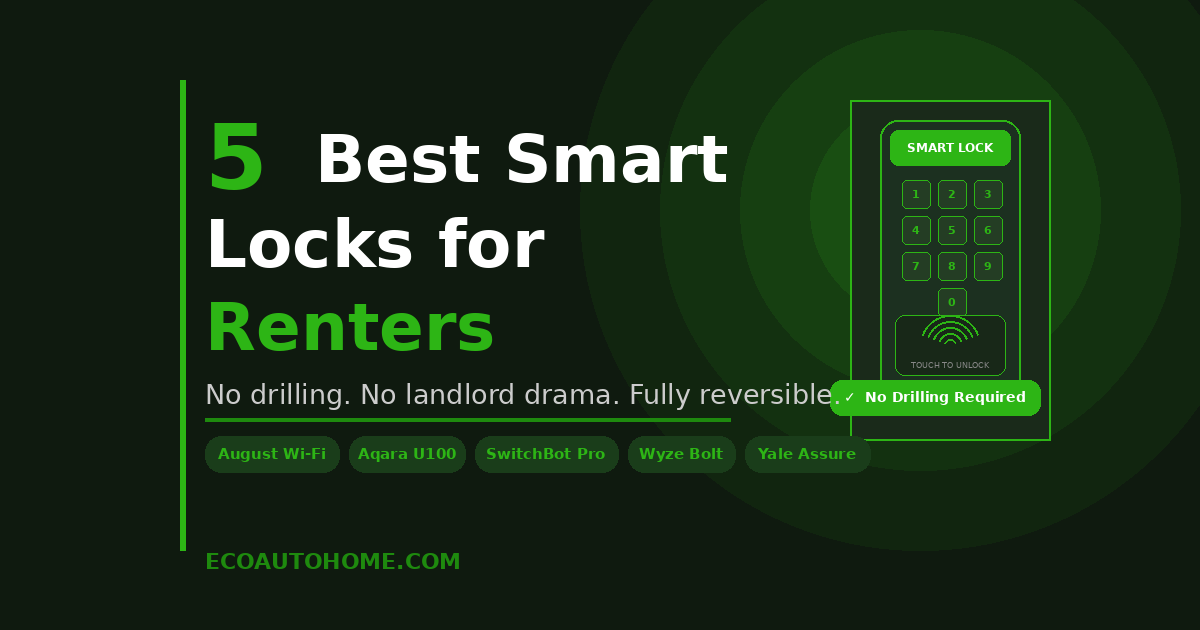
This guide covers the best smart locks for renters in 2026 that work exactly this way — true retrofit installation only — plus one full-replacement option clearly labelled for renters who have their landlord’s explicit permission.
What Makes a Smart Lock Actually Renter-Friendly
Not all “renter-friendly” smart locks are equal. Some guides recommend full deadbolt replacements and simply tell you to reinstall the original hardware on move-out day. That works in theory — but it requires storing your landlord’s original hardware safely for months or years, finding a screwdriver on a hectic moving day, and hoping the reinstall goes smoothly under time pressure.
A genuinely renter-friendly smart lock meets four specific criteria. First, it installs on the interior side of your door only — the exterior hardware stays completely untouched. Second, it works with your existing deadbolt without replacing it. Third, removal takes under 15 minutes and leaves no permanent marks on your door. Fourth, your landlord’s physical keys continue working normally throughout your tenancy.
The locks in the main section of this guide meet all four criteria. They are true retrofit devices — no exterior changes, no deadbolt replacement, no landlord drama.
One thing to check before buying: most retrofit smart locks work with standard single-cylinder deadbolts, which are the most common type found in US apartments and rental homes. They typically do not work with double-cylinder deadbolts, which are keyed on both sides, or mortise locks common in some older buildings. Verify your deadbolt type before ordering anything.
How Over-Door Smart Locks Work
The retrofit smart lock design is genuinely clever. Instead of replacing your entire deadbolt, these locks attach a motorised mechanism to your existing interior thumb-turn — the small knob or lever you currently turn by hand to lock and unlock your door.
The motor turns that thumb-turn for you, triggered by your smartphone app, a keypad, a fingerprint reader, or a voice command. The exterior of your door — the keyhole, the deadbolt housing, the strike plate — stays exactly as it was. Nobody looking at your door from outside can tell anything has changed.
Installation typically involves selecting the correct adapter plate from a set included in the box, snapping or screwing the device onto your thumb-turn, then pairing it with your Wi-Fi or Bluetooth. Most installs take under 15 minutes with nothing more than a screwdriver.
When you move out, you reverse the process. The door returns to its original state. No holes drilled, no hardware missing, and no evidence that a smart lock was ever there.
The 5 Best Smart Locks for Renters in 2026
1. August Wi-Fi Smart Lock (4th Gen) — Best Overall for Renters
The August Wi-Fi Smart Lock is the lock that defined the retrofit category, and in 2026 it remains the strongest all-round option for renters. It installs entirely on the interior side of your door using adapter plates included in the box — your exterior hardware and keyhole stay completely untouched. Your landlord’s key works exactly as it always did.
Setup takes around 10 minutes. You select the correct adapter plate for your deadbolt thumb-turn and snap the August unit into place. No drilling, no tools beyond a screwdriver, no exterior modification whatsoever. The device is compact and sits close to the door without looking bulky.
Built-in Wi-Fi means you get full remote access through the August app with no separate hub needed. You can lock and unlock from anywhere, review the activity log, and set auto-lock timers from your phone. The DoorSense feature detects whether your door is physically closed — not just whether the bolt is thrown — so you always know your home is genuinely secure.
Auto-unlock uses your phone’s location through geofencing to unlock the door as you approach. Guest access lets you share temporary or scheduled digital keys with a dog walker, a visiting family member, or a service worker — all managed from the app without handing over a physical key.
It works natively with Alexa, Google Home, and Apple HomeKit, making it the most broadly compatible retrofit lock available in 2026. Battery life runs around three to six months depending on usage frequency, using two CR123A batteries.
The one honest limitation: August has no built-in keypad on the lock body itself. Entry is via smartphone, voice assistant, or physical key. If you want to enter a PIN code at the door without your phone, you’ll need to add an August-compatible keypad, sold separately.
Best for: Renters who want the simplest, most universally compatible retrofit installation with full built-in Wi-Fi and remote access.
Price range: Around $150–$200 depending on retailer.
2. Aqara U200 Smart Lock — Best Feature-Packed Retrofit for Renters
The Aqara U200 is the most feature-rich true retrofit smart lock available to renters in 2026. It installs over your existing deadbolt without replacing it — the exterior of your door stays completely unchanged — while delivering fingerprint access, Apple Home Key, Matter over Thread support, and a separate outdoor keypad, all with no monthly subscription.
The retrofit mechanism attaches to your existing interior thumb-turn using the included adapter set. Removal is equally clean. It comes in two parts: the interior motor unit on the thumb-turn, and a slim exterior keypad that mounts to your door frame using either screws or the included adhesive — no drilling required for the keypad.
The fingerprint reader is fast, achieving recognition in under 0.3 seconds. Apple Home Key lets iPhone and Apple Watch users unlock by simply tapping their device near the keypad, even with a critically low battery. Matter over Thread means the U200 integrates natively with Apple Home, Google Home, Alexa, SmartThings, and Home Assistant — all with no proprietary hub required for basic functionality.
For remote access and automations, you’ll want a compatible Matter hub such as an Apple HomePod mini or Amazon Echo with Thread support. Basic Bluetooth control through the Aqara app works without any hub at all.
The rechargeable lithium-ion battery on the interior unit lasts up to six months based on standard daily usage. The exterior keypad runs on four AAA batteries separately. It is the most future-proof retrofit lock you can buy right now — Thread is the direction the entire smart home industry is moving, and the U200 is already there.
Best for: Renters who want maximum features — fingerprint, Apple Home Key, Matter support — in a true retrofit design with no deadbolt replacement.
Price range: Around $200–$250 depending on bundle configuration.
3. SwitchBot Lock Pro — Best Budget Retrofit With Built-In Keypad
The SwitchBot Lock Pro is the smart choice for renters who want core retrofit functionality plus a built-in keypad at a significantly lower price than the August or Aqara U200.
Like the August, the SwitchBot Lock Pro clamps onto your existing interior thumb-turn. No drilling, no deadbolt replacement, and your exterior hardware stays completely unchanged. Your landlord’s key keeps working. Installation uses a strong adhesive mount or a screw-in bracket — either way, nothing permanent happens to your door.
Where the SwitchBot Lock Pro adds genuine value over the August is the built-in keypad on the lock body itself. You can enter a PIN code directly on the device without needing your phone nearby. It supports up to 100 access codes, which is more than enough for shared apartments and regular guests.
Connectivity covers both Bluetooth and Wi-Fi. For remote access beyond Bluetooth range, adding the SwitchBot Hub Mini — a small hub that plugs into any wall outlet — unlocks full remote control from anywhere. Budget around an additional $20–30 for the hub. Without it, the lock works perfectly for anyone within Bluetooth range or using the built-in keypad at the door.
Battery life runs around eight to twelve months depending on usage, noticeably better than the August. It integrates with Alexa, Google Home, and Apple HomeKit.
Best for: Budget-conscious renters who want a retrofit lock with a built-in keypad and long battery life, without spending August or Aqara prices.
Price range: Around $90–$110 for the lock. Add around $25 for the hub if remote access is needed.
4. Level Bolt — Best Invisible Retrofit Lock
If keeping your smart lock completely invisible — even from the interior — is your priority, the Level Bolt is unlike anything else on this list.
The Level Bolt hides entirely inside your existing deadbolt cylinder. From both sides of the door, your lock looks completely unmodified — no device visible on the interior, no keypad on the exterior, no indication that anything smart is installed at all. It is the most discreet retrofit smart lock available in 2026.
Control happens entirely through your smartphone via Bluetooth or the optional Level hub for Wi-Fi connectivity. Auto-lock, activity monitoring, and guest access are all available through the Level app. Your physical key works exactly as normal from the exterior.
The trade-off for that invisibility is simplicity. There is no keypad and no fingerprint reader. Entry is through the app, a physical key, or voice command if you add the hub. For renters who value discretion above all and don’t need biometric or keypad access, the Level Bolt is a genuinely compelling option that no other lock can match aesthetically.
It supports Apple HomeKit, Google Home, and Alexa.
Best for: Renters who want a completely invisible smart lock with zero visible hardware change on either side of the door.
Price range: Around $180–$220 depending on configuration.
5. Yale Assure Lock 2 — Best Option if Your Landlord Gives Permission
The Yale Assure Lock 2 belongs on this list for a specific type of renter — one whose landlord has explicitly approved a temporary deadbolt replacement and who wants a premium touchscreen keypad experience.
Unlike every other pick on this list, the Yale Assure Lock 2 replaces your entire exterior deadbolt assembly. The outside of your door will have new hardware. Because of this, you need explicit permission from your landlord before installation. When you move out, you reinstall the original hardware — straightforward if you’ve kept it stored safely.
What you gain is significant. The backlit touchscreen keypad supports up to 250 unique PIN codes with individual schedules, making it ideal for shared apartments, frequent guests, or anyone managing multiple people’s access. Battery life reaches eight to twelve months on four AA batteries. It’s available in Wi-Fi, Matter over Thread, and Bluetooth-only module versions.
Yale and August share the same app platform, so the interface is polished and reliable. It works with Alexa, Google Home, Apple HomeKit, and Samsung SmartThings.
Best for: Renters with explicit landlord permission who want a premium keypad experience and maximum access code capacity.
Price range: Around $170–$250 depending on connectivity module.
Which Lock Should You Choose?
Here’s the honest quick-pick breakdown based on your situation:
Want zero exterior changes and the simplest possible installation — August Wi-Fi Smart Lock is the answer. It’s been the trusted renter recommendation for years and earns that reputation again in 2026.
Want fingerprint access, Apple Home Key, and Matter support without giving up retrofit installation — Aqara U200 delivers more features than any other retrofit lock available, at a fair price for what it offers.
Want retrofit installation with a built-in keypad on a tighter budget — SwitchBot Lock Pro is the smart choice at around $100.
Want your smart lock to be completely invisible from both sides of the door — Level Bolt is the only lock that achieves this.
Your landlord has given permission and you want the best keypad experience for multiple people — Yale Assure Lock 2 is the strongest full-replacement option for renters in that situation.
One final step before ordering anything: check deadbolt compatibility on the manufacturer’s website. Every brand listed here provides a compatibility checker where you input your existing deadbolt brand and model and get a clear yes or no. Doing this before ordering saves a return and a week of waiting.
For a look at rounding out your rental security setup beyond the front door, our guide on Best Security Cameras Without Subscriptions covers cameras that leave no permanent marks and require no monthly fees — the same renter-friendly philosophy, applied to surveillance.
FAQ
Do I need my landlord’s permission to install a retrofit smart lock?
For true retrofit smart locks — August, Aqara U200, SwitchBot Lock Pro, Level Bolt — which only modify the interior of your door and leave the exterior hardware completely unchanged, most leases don’t require explicit permission because nothing permanent is altered. However, every lease is different. Reading your lease first is always the right approach. A quick conversation with your landlord usually results in easy approval once they understand the lock is fully reversible and their keys still work throughout.
Will my landlord still be able to use their key?
Yes — with every retrofit lock on this list. Because these devices only attach to the interior thumb-turn, the exterior keyhole stays completely intact. Your landlord’s key operates the deadbolt exactly as it always did. The smart lock simply adds additional ways to unlock from the inside.
What happens if the smart lock battery dies?
Your physical key still works. Every retrofit lock on this list leaves the exterior key cylinder untouched, so a dead battery never means being locked out of your home. Most locks also send a low-battery alert through the app well before the battery runs out, typically when around 20–25% charge remains. Keeping a spare set of batteries on hand is a good habit regardless.
Can smart locks be hacked?
Every lock on this list uses encrypted communication — AES 128-bit encryption is standard across the retrofit category in 2026. The more realistic security concern for most renters isn’t digital — it’s the physical strength of the deadbolt itself. A smart lock does not make a weak deadbolt stronger. The quality of your door frame, strike plate, and deadbolt cylinder matters more to physical security than which smart device sits on top of it.
Do retrofit smart locks work on all apartment deadbolts?
Most work on standard single-cylinder deadbolts, the most common type in US apartment buildings. They generally do not work on double-cylinder deadbolts, mortise locks, or rim locks found in some older buildings. Every manufacturer on this list provides a compatibility checker on their website — enter your deadbolt brand and model before ordering to get a definitive answer.
You Don’t Have to Choose Between Smart and Renter-Friendly
The idea that smart locks are only for homeowners is genuinely outdated. Retrofit smart locks have matured to the point where renters can have auto-unlock, voice control, fingerprint access, guest codes, and full remote control — all without touching the exterior of their door, all reversible on moving day.
The August Wi-Fi Smart Lock is the clearest starting point for most renters. The Aqara U200 is the right call if you want fingerprint access and Matter support in the same retrofit package. The SwitchBot Lock Pro handles the budget case with a built-in keypad. And the Level Bolt covers anyone who wants their smart lock to be completely invisible.
Pick the one that fits your deadbolt, your budget, and your lease. Install it on a Saturday morning. And stop fumbling for keys when your hands are full.
For more practical smart home guides written for real homes and real budgets, explore EcoAutoHome.